.png)
This feature is available in QAlity Plus - Test Management for Jira exclusively.
QAlity Plus allows one Execution Status Scheme per organization. Click Edit Scheme to make changes.
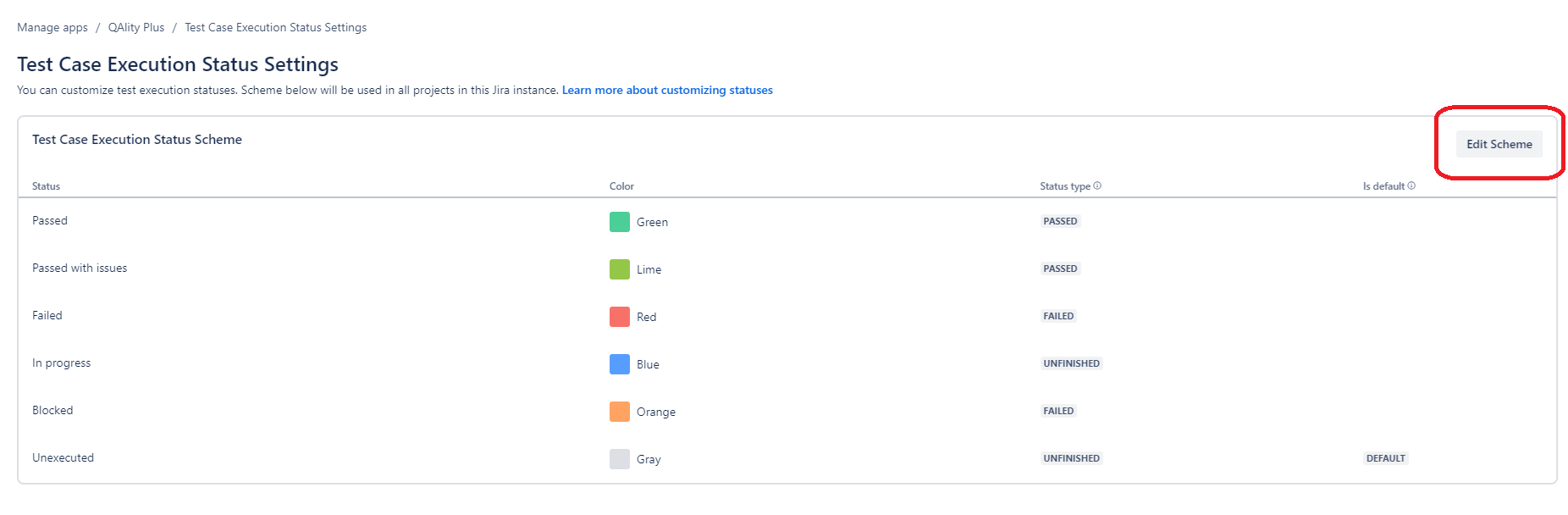
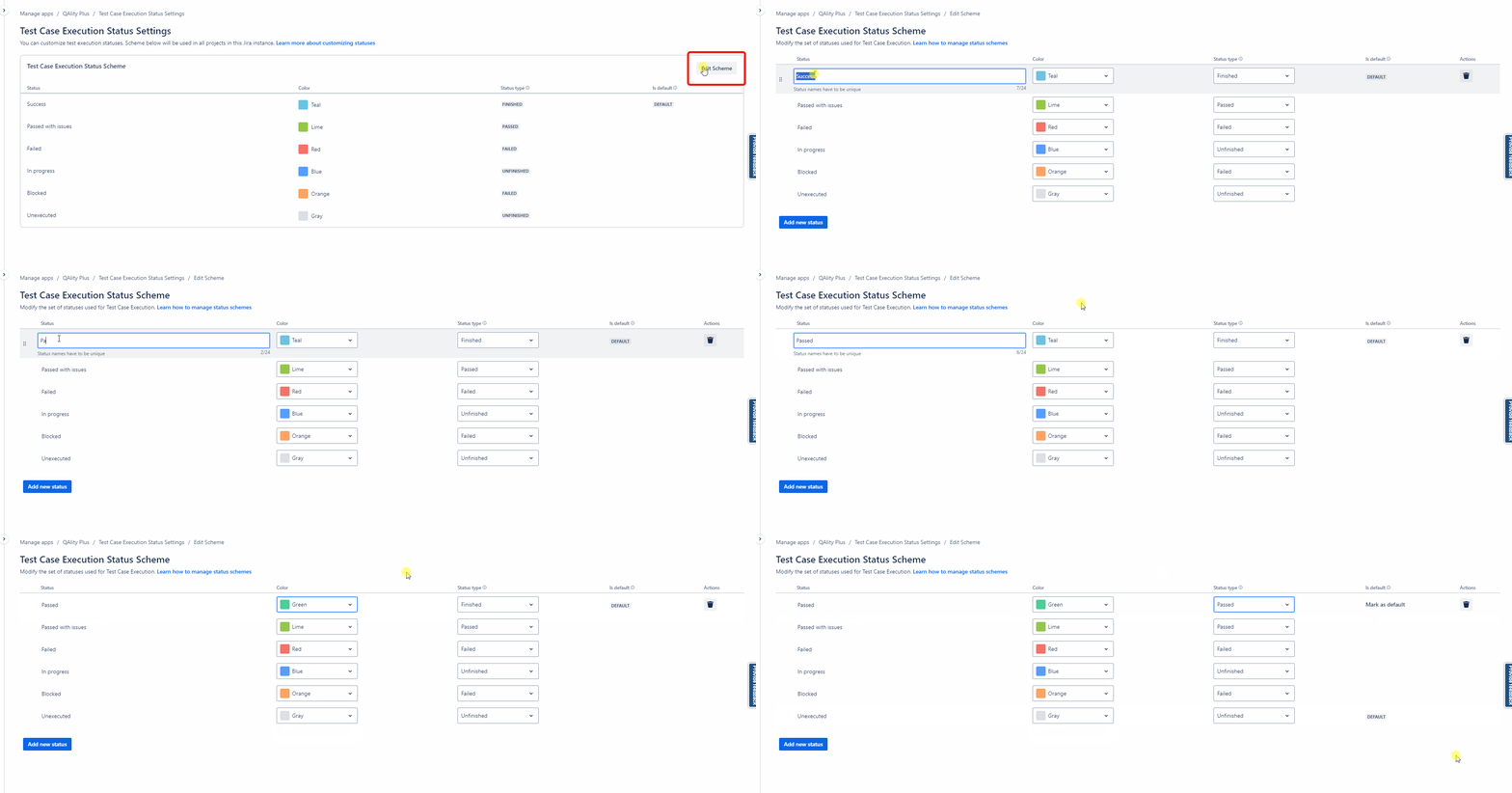
Editing Execution Statuses
-
To rename a status, click on its text and enter a new name (must be unique).
-
Change the background color using the drop-down menu.
-
Select a Status Type from the drop-down list. You can read more about Status Types here.
-
Click Mark as default to set a default status for new executions.
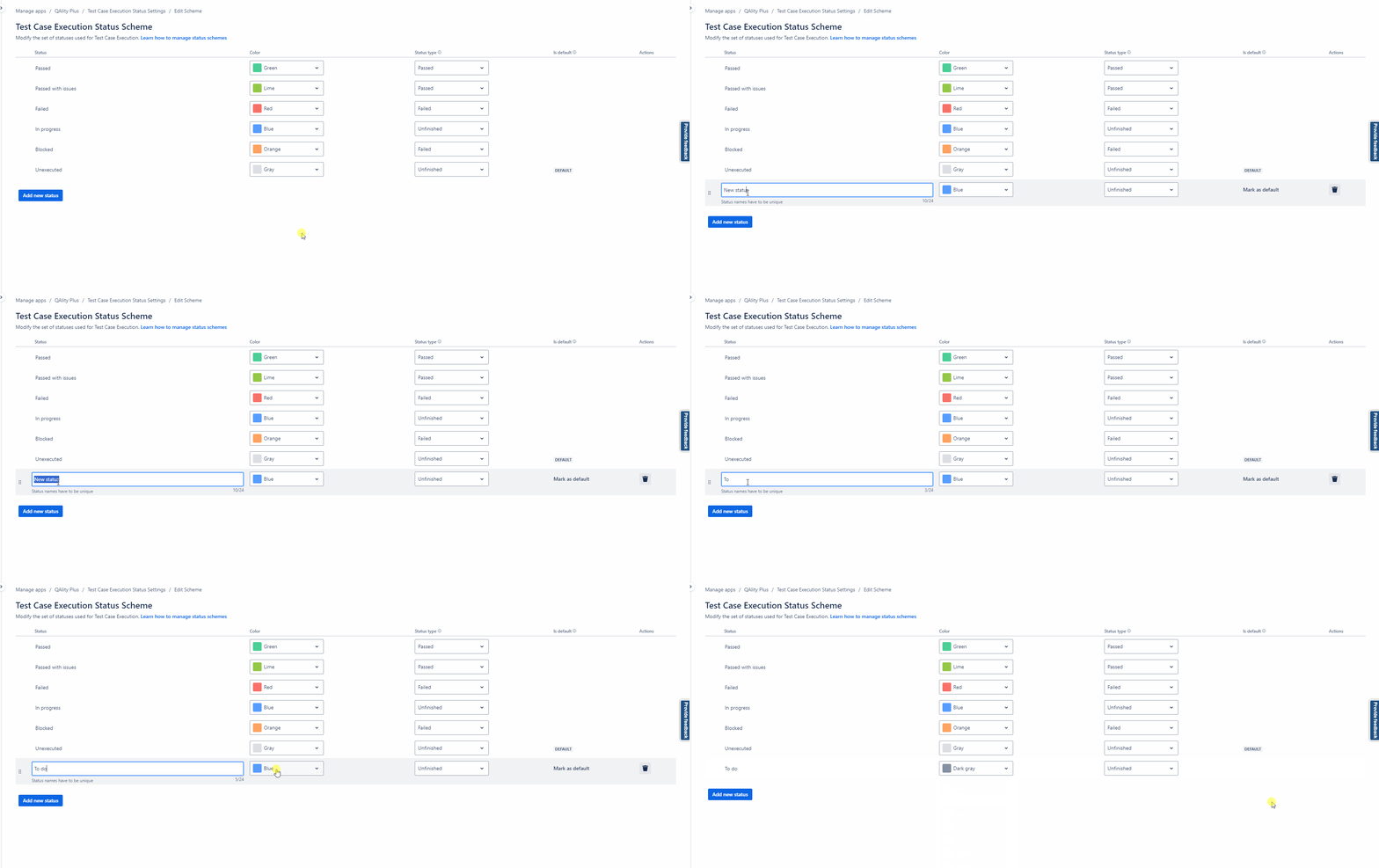
Adding a New Execution Status
-
Click Add new status.
-
Enter a unique name and click outside the text field to save it.
-
Choose a status type and color.
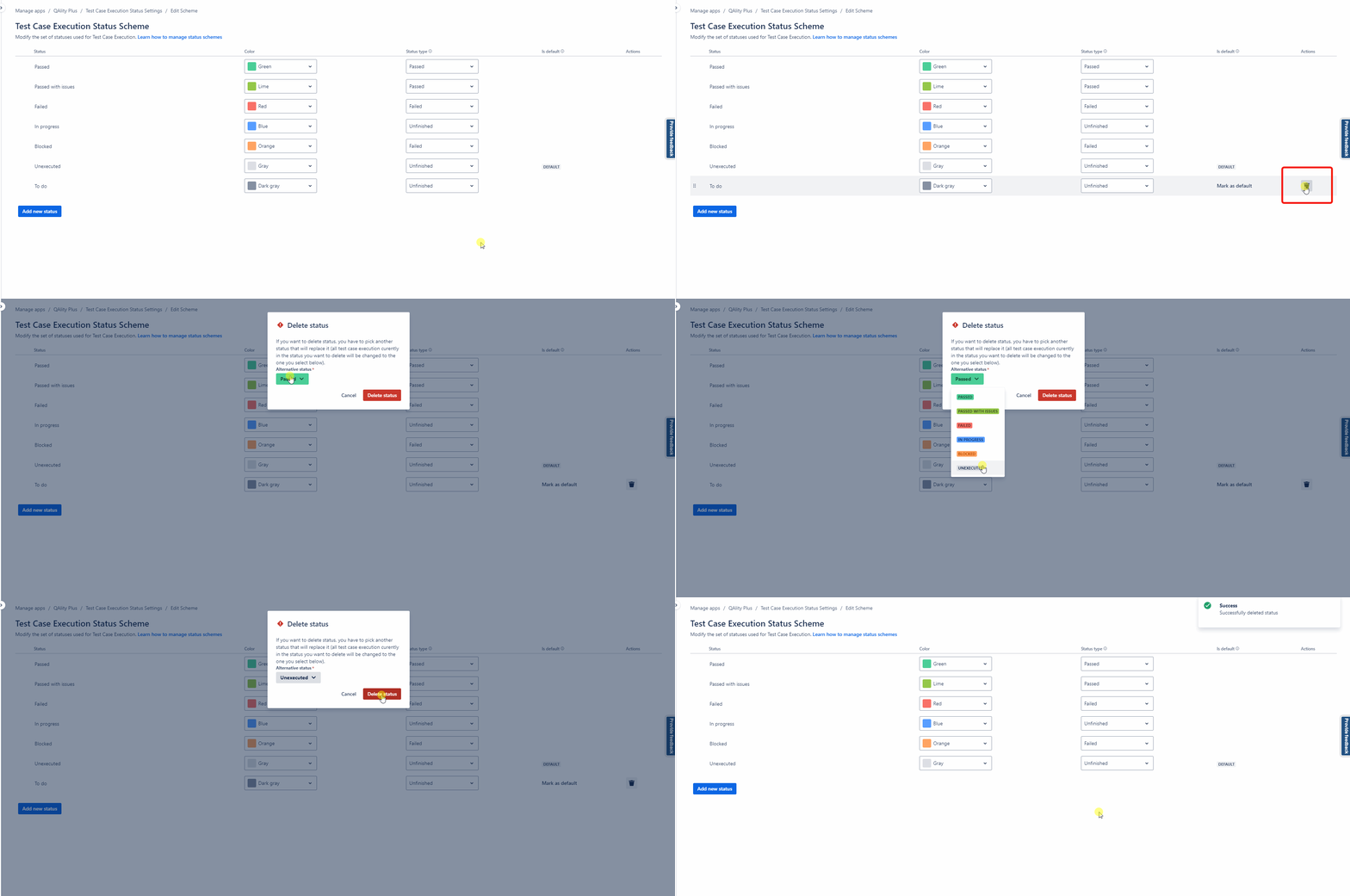
Deleting an Execution Status
-
Hover over the Actions column and click the bin icon.
-
Choose an alternative status to replace the deleted one.
-
All executions and steps assigned to the deleted status will be automatically updated to the selected alternative.
-
Do you have any questions or feedback? Feel free to contact us here 💡