.png)
This feature is available in QAlity Plus - Test Management for Jira exclusively.
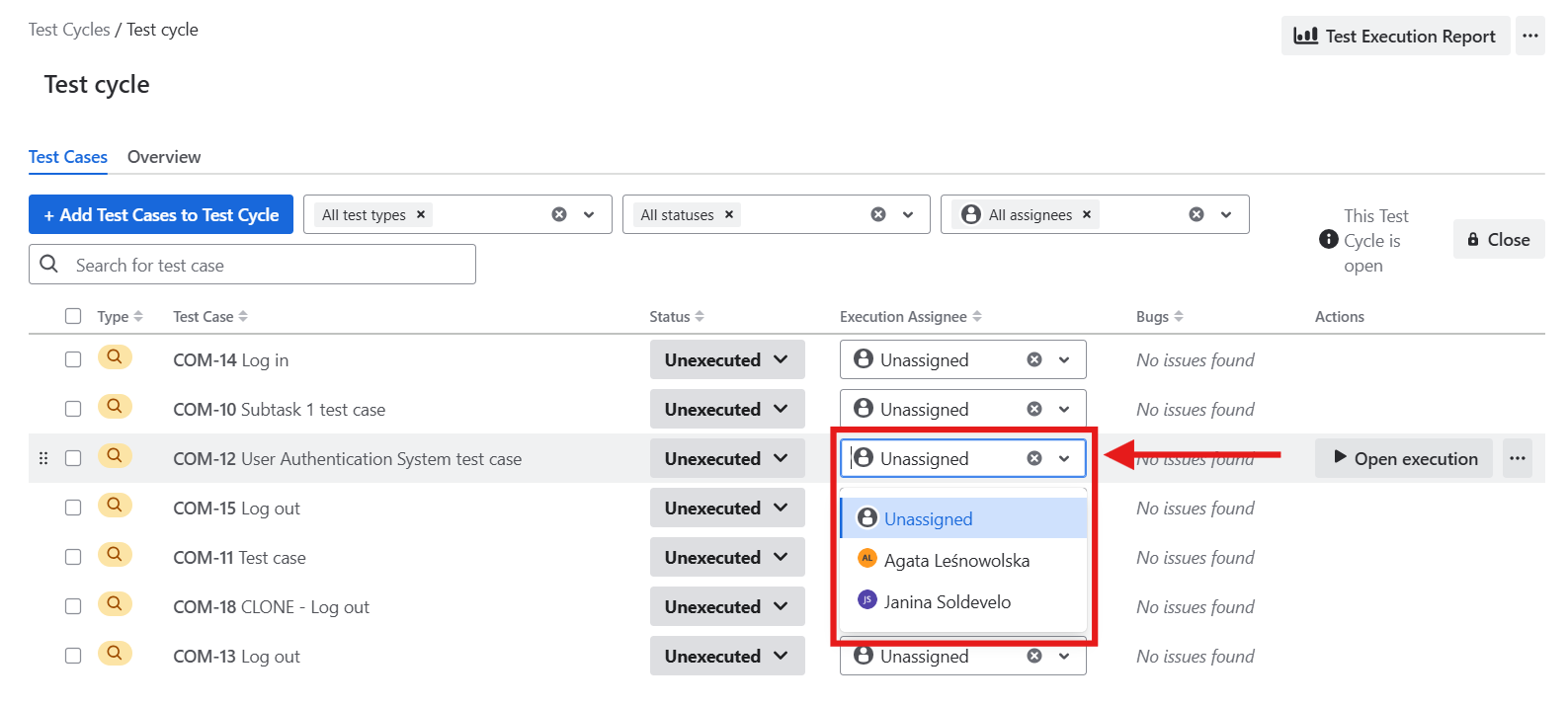
You can assign a user to the test execution on the ‘Test cycle’ page or directly on the given test case execution. It’s also possible to unassign the user from the test case execution at any time you want. To do that, remove the user from the field by clicking on the ✖ button next to their name.
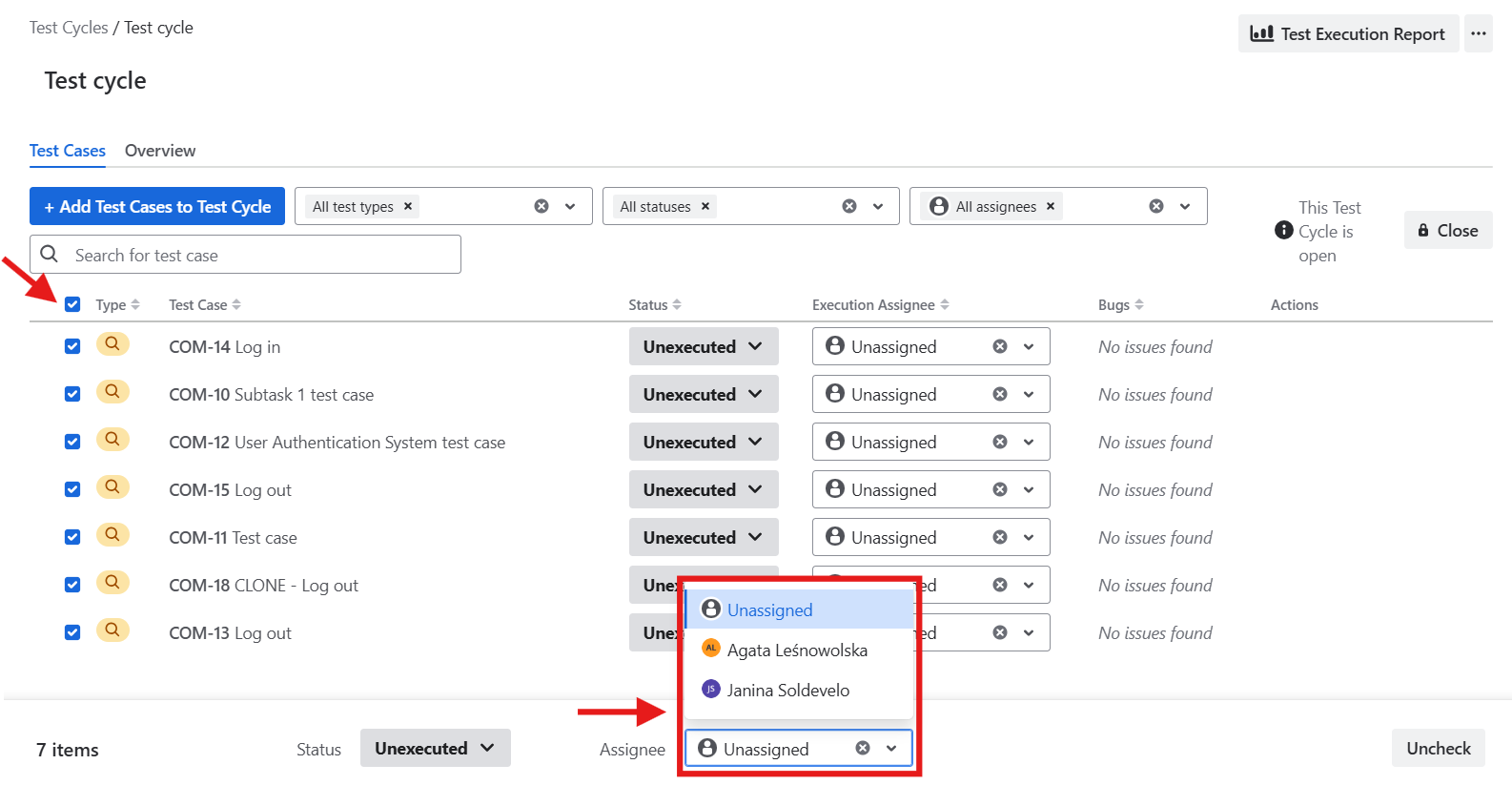
You can also assign your user in bulk:
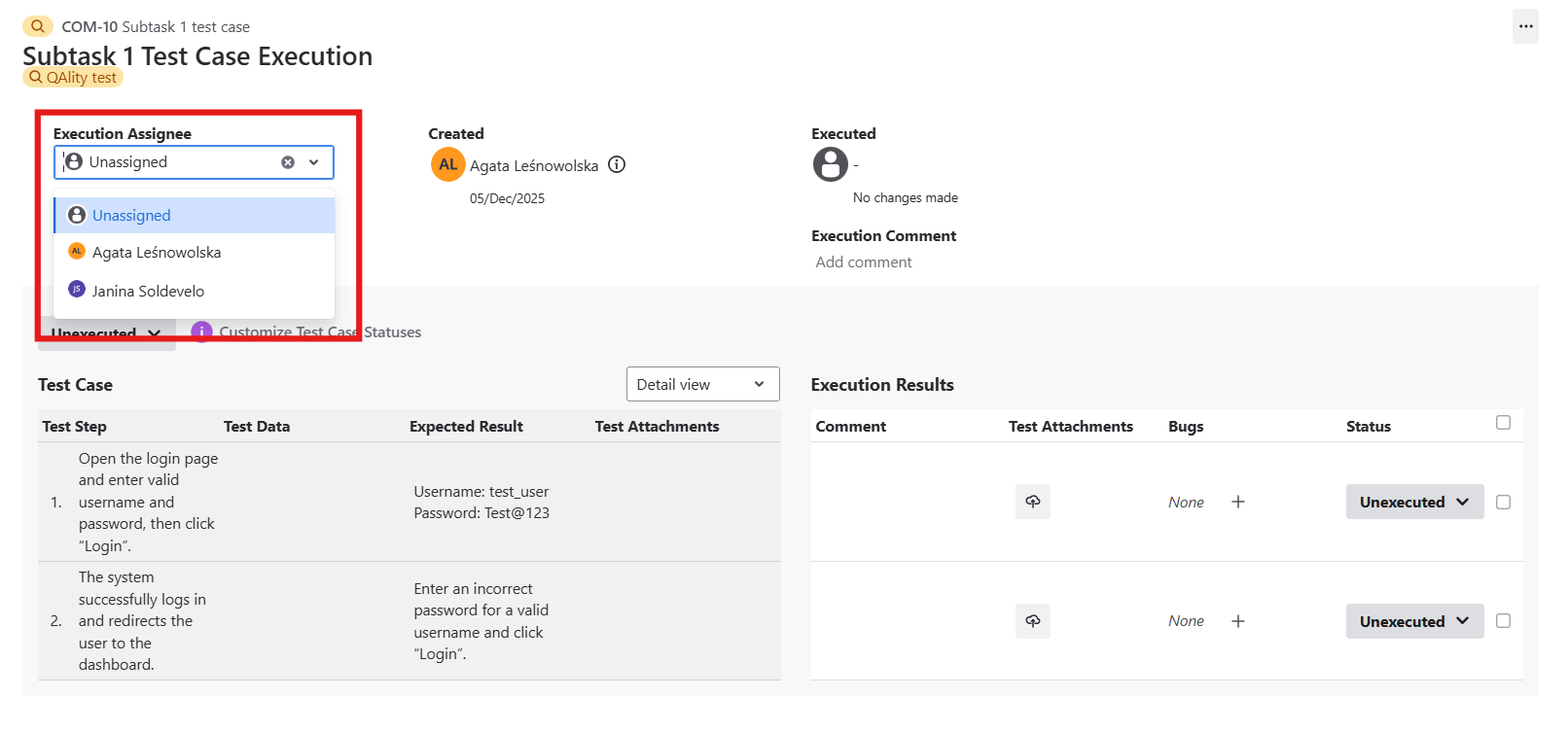
The user can be also assigned during the test case execution:
Do you have any questions or feedback? Feel free to contact us here 💡