
This feature is limited in QAlity - Test Management for Jira. All features are available in QAlity Plus - Test Management for Jira.
Execution History
In the QAlity app you have easy access to previous execution history. Under the history you can see date of the execution, execution assignee, status, comment, whether the execution took place through a certain cycle test or was done ad hoc.
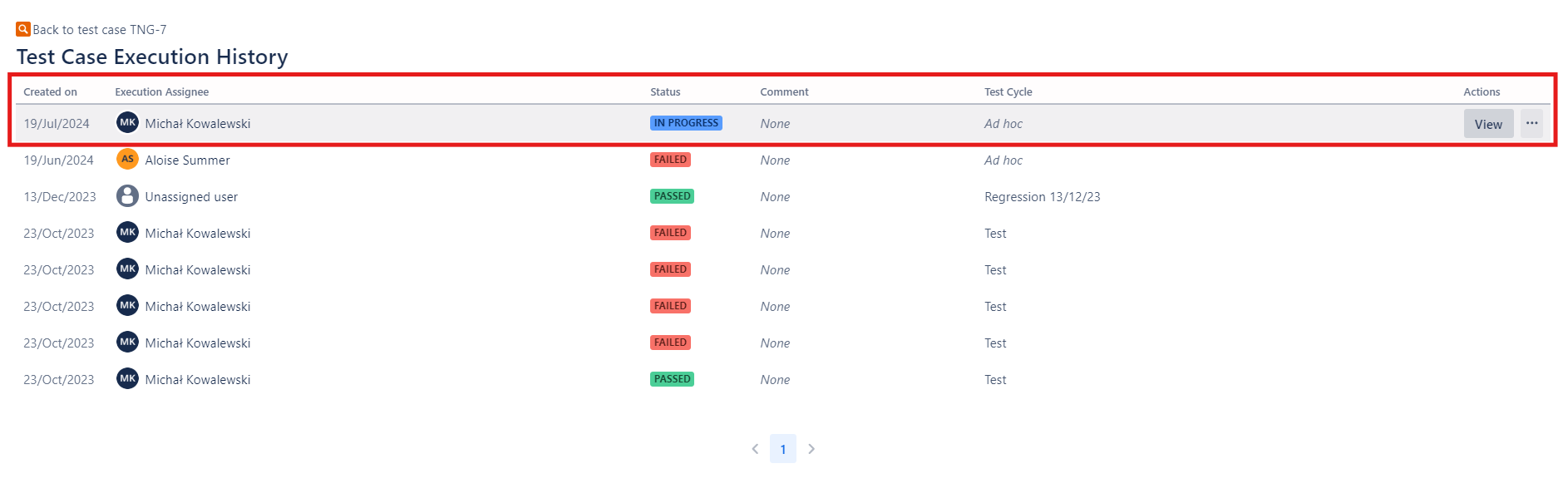
You can view and enter the execution history of particular test cases in two places:
-
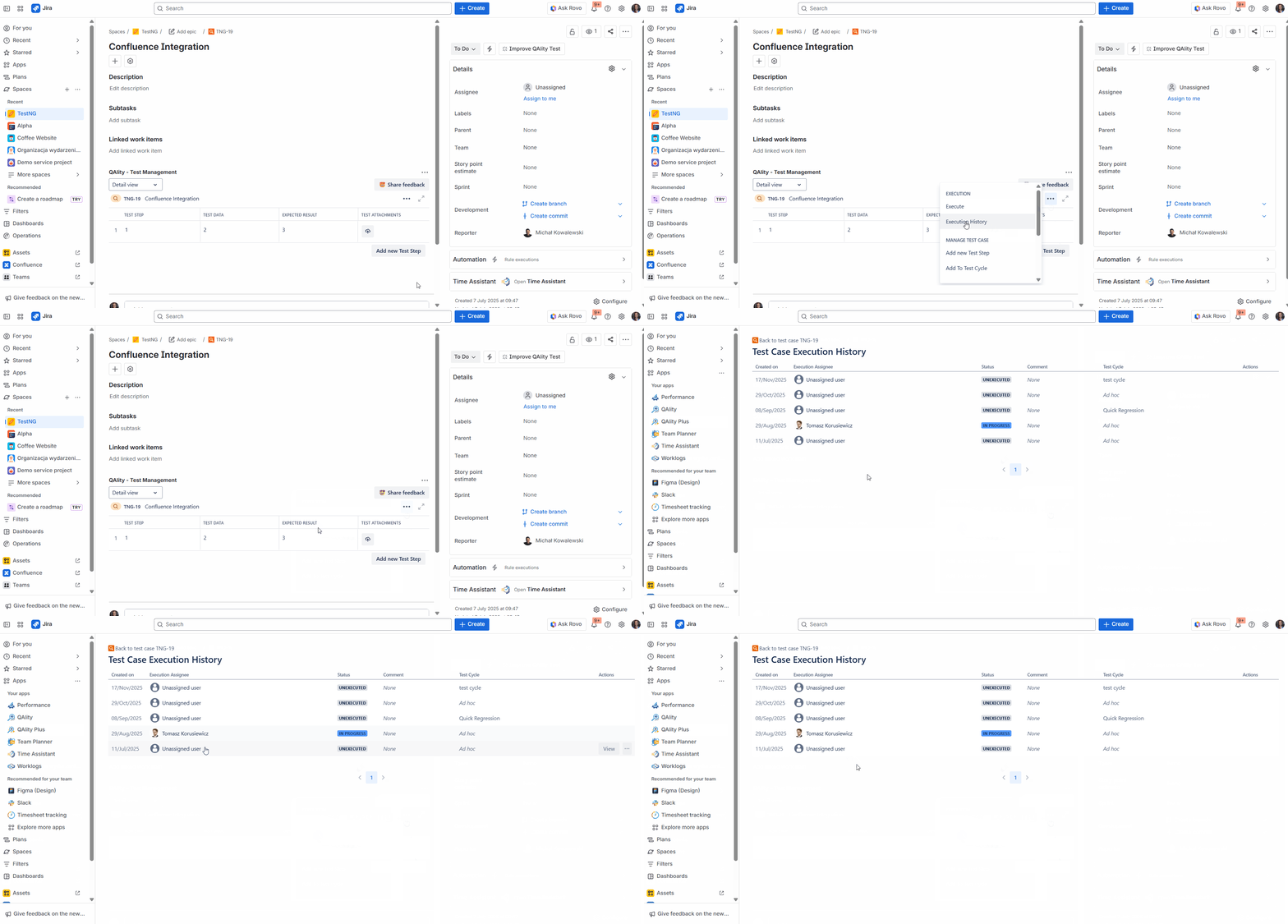
Directly from the Jira issue view by clicking on the three dots '…' in the QAlity - Test Management and selecting Execution History.
-
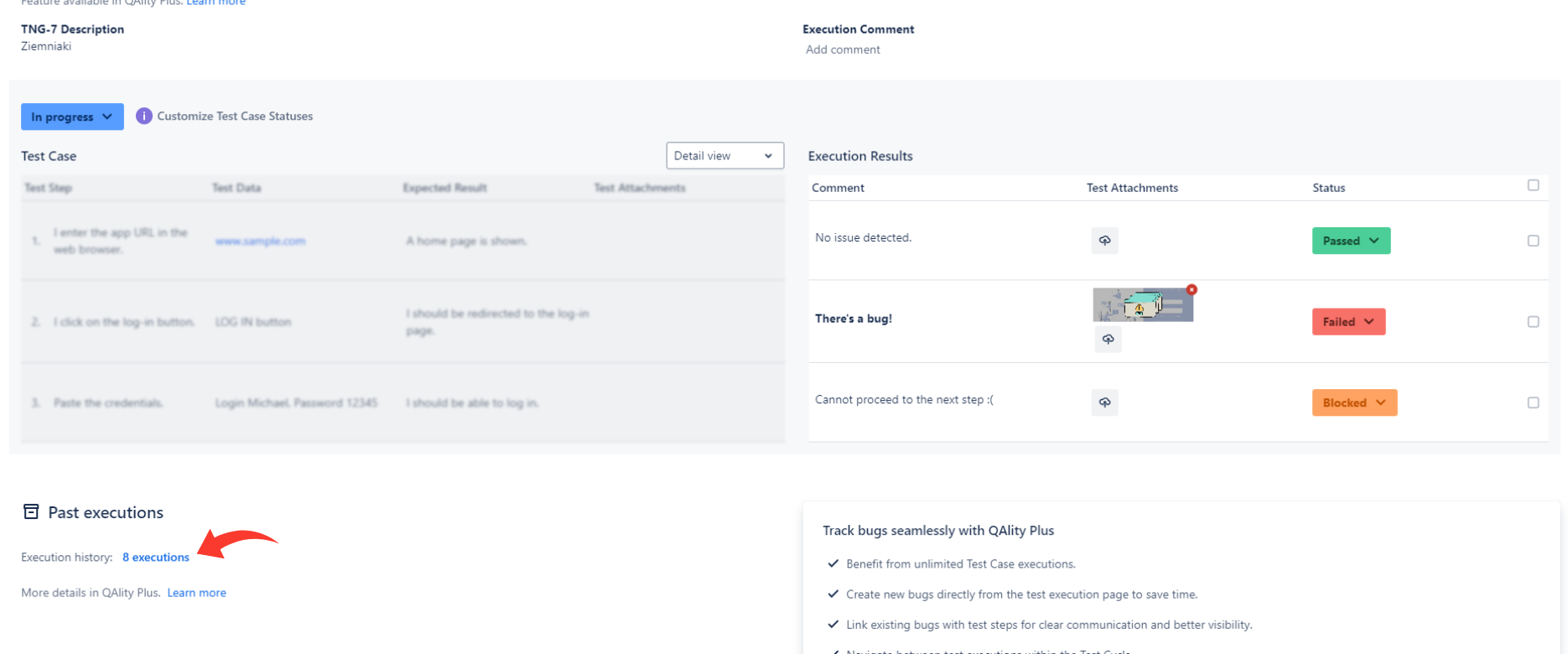
From the execution page by clicking on the number of executions that’s located under the Past executions section.
The features below are exclusively available in the QAlity Plus version.
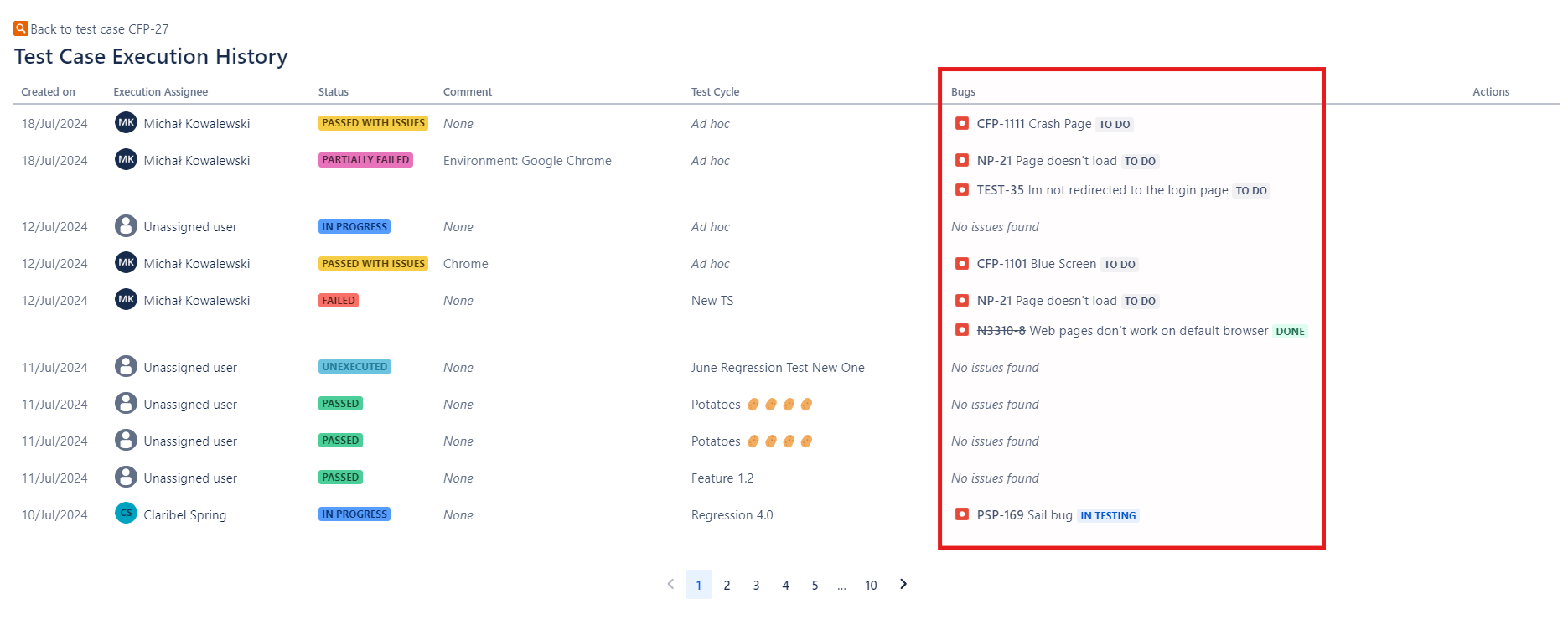
Execution History Bugs Column
Using QAlity Plus, the execution history page for a given test case includes an additional column for bugs reported during execution.
Execution Creator and Executor
The Created and Executed fields help identify who created a test case execution and who last completed it.
Created shows the person who created the execution and the creation date.
Executed shows the last person who moved the execution to a finished status and the execution date.
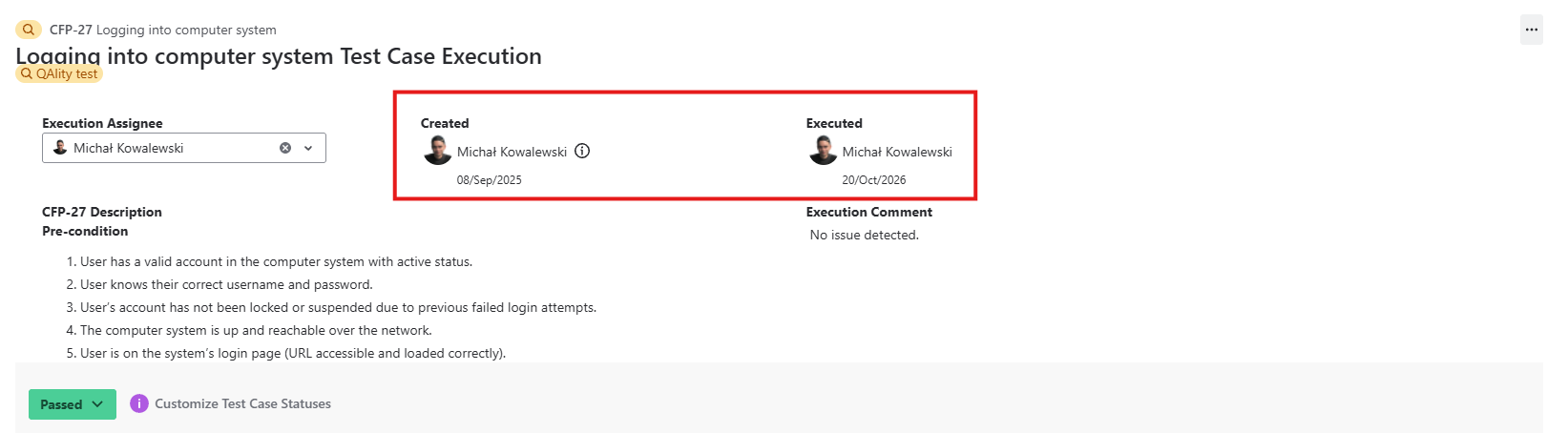
QAlity Plus has tracked test case execution creators since July 2024.
These fields provide useful context for previous execution records, but they should not be treated as a full audit trail of every later change made to an execution, such as edits to step results, comments, or attachments.
Past Executions
The QAlity Plus app also allows you to see the last failed step and bugs linked to failed steps in previous executions while performing test case execution, to quickly assess whether certain defects have already been found and reported in the past.
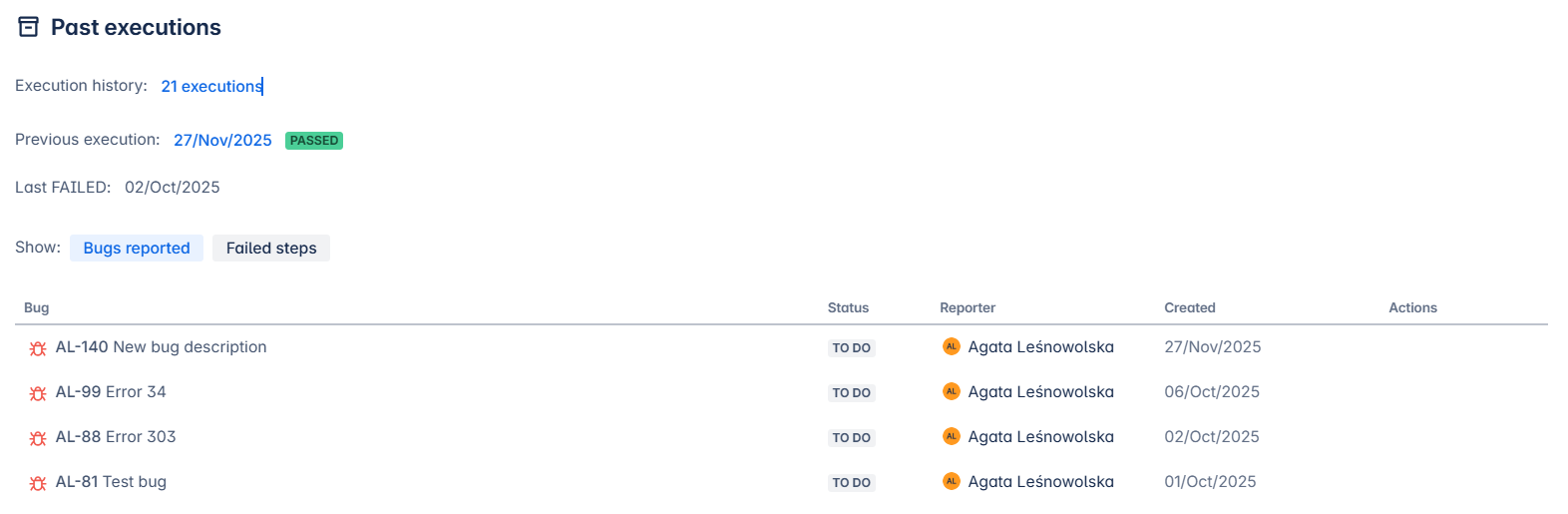
You have easy access to previous execution history: how many times the test case has been executed already, the status of the previous execution, and when the test case last failed.
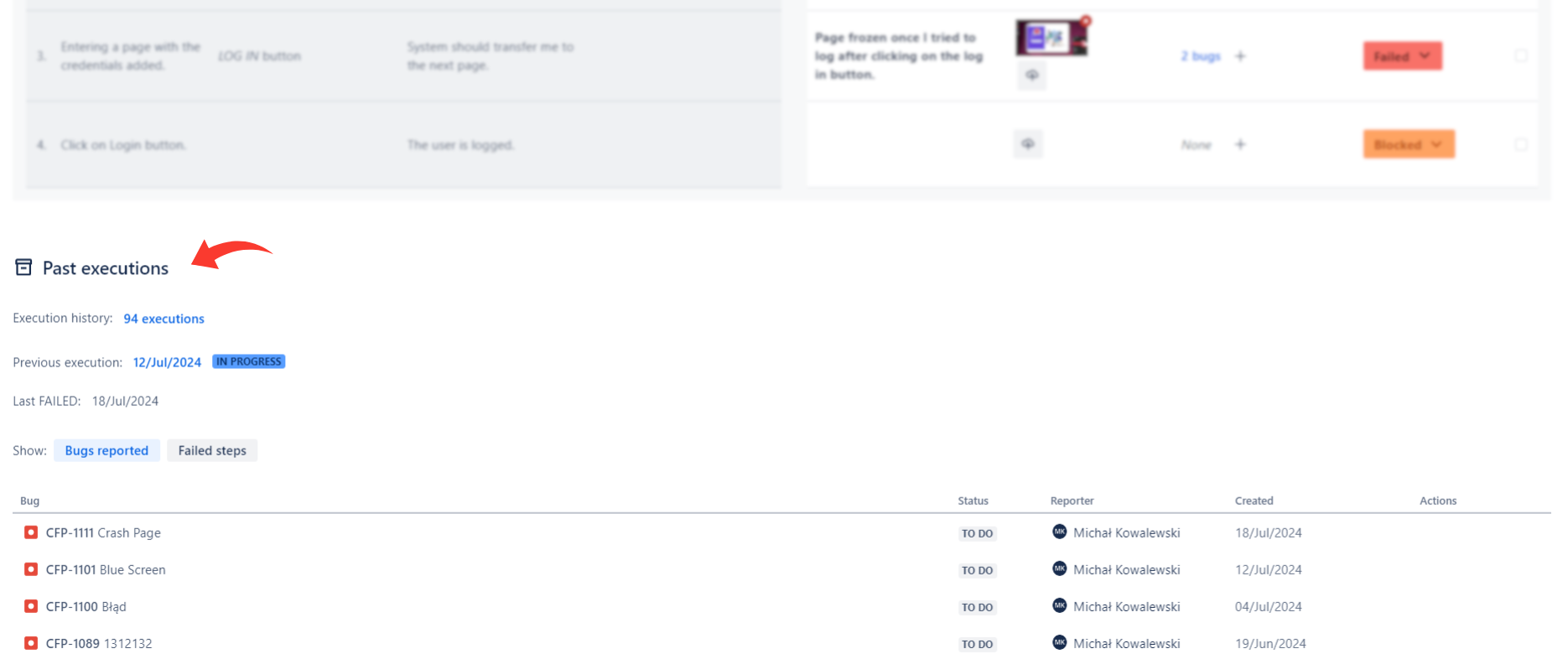
Bugs reported tab
You can view all bugs that have been linked to failed steps in the previous executions. Moreover, information like the status of the issue, reporter, and creation date is displayed. It’s also possible to view the last execution when the bug was linked with a failed step.
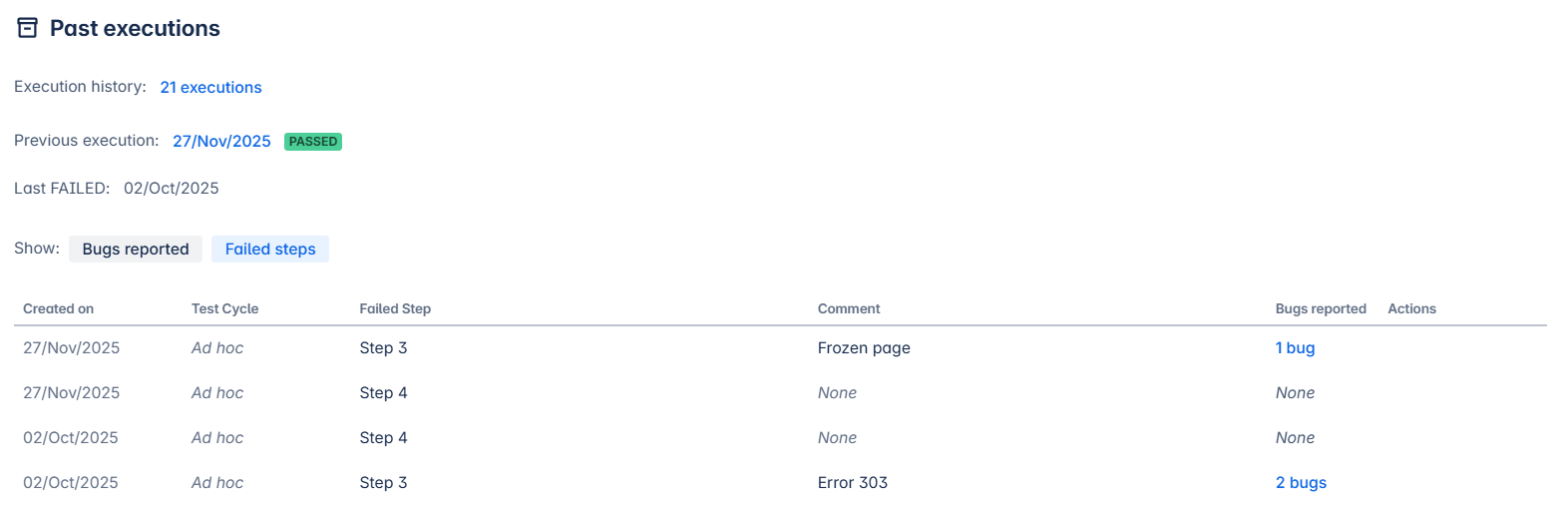
Failed steps tab
You can also view all failed steps from previous executions, with information on who and when executed the test case, which bugs were linked, and more.
Do you have any questions or feedback? Feel free to contact us here 💡