.png)
This feature is available in QAlity Plus - Test Management for Jira exclusively.
Traceability Report allows you to track the connection among the tests, test executions, and bugs over the selected time period, and in a selected project. This effectively helps you assess the condition of the system you are testing and areas that might require special attention.
You can also see how the requirements connect with the test cases. This can be very helpful with visually assessing what's the test coverage in your project, and which requirements still need to have more test cases written or covered fully.
For Data Center to view the Traceability Report, click on the Reports link in the Jira project menu and find the Test Traceability Report, in the 'Other' section. You will also find the Traceability Report by going to Apps → QAlity page.
For Cloud you can access the report by going to Apps → QAlity Plus → Traceability report.
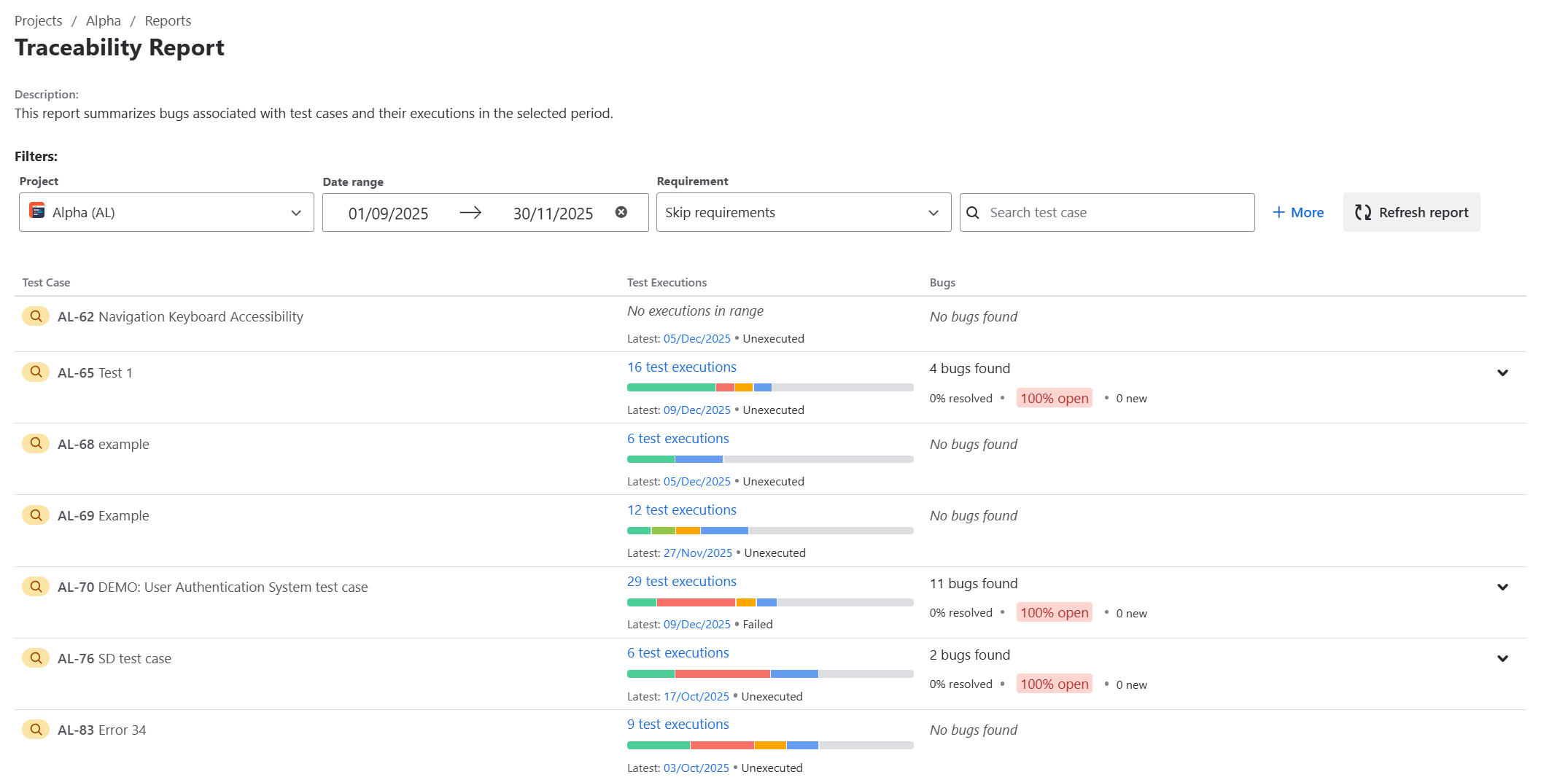
Here, you’ll find all of the test cases from the selected project along with useful information, such as how many times a test case was executed, what the result of the latest execution was, and bugs that were created while executing the test case in the selected date range. You can also check the linked bugs by expanding the list to see the issues' status.
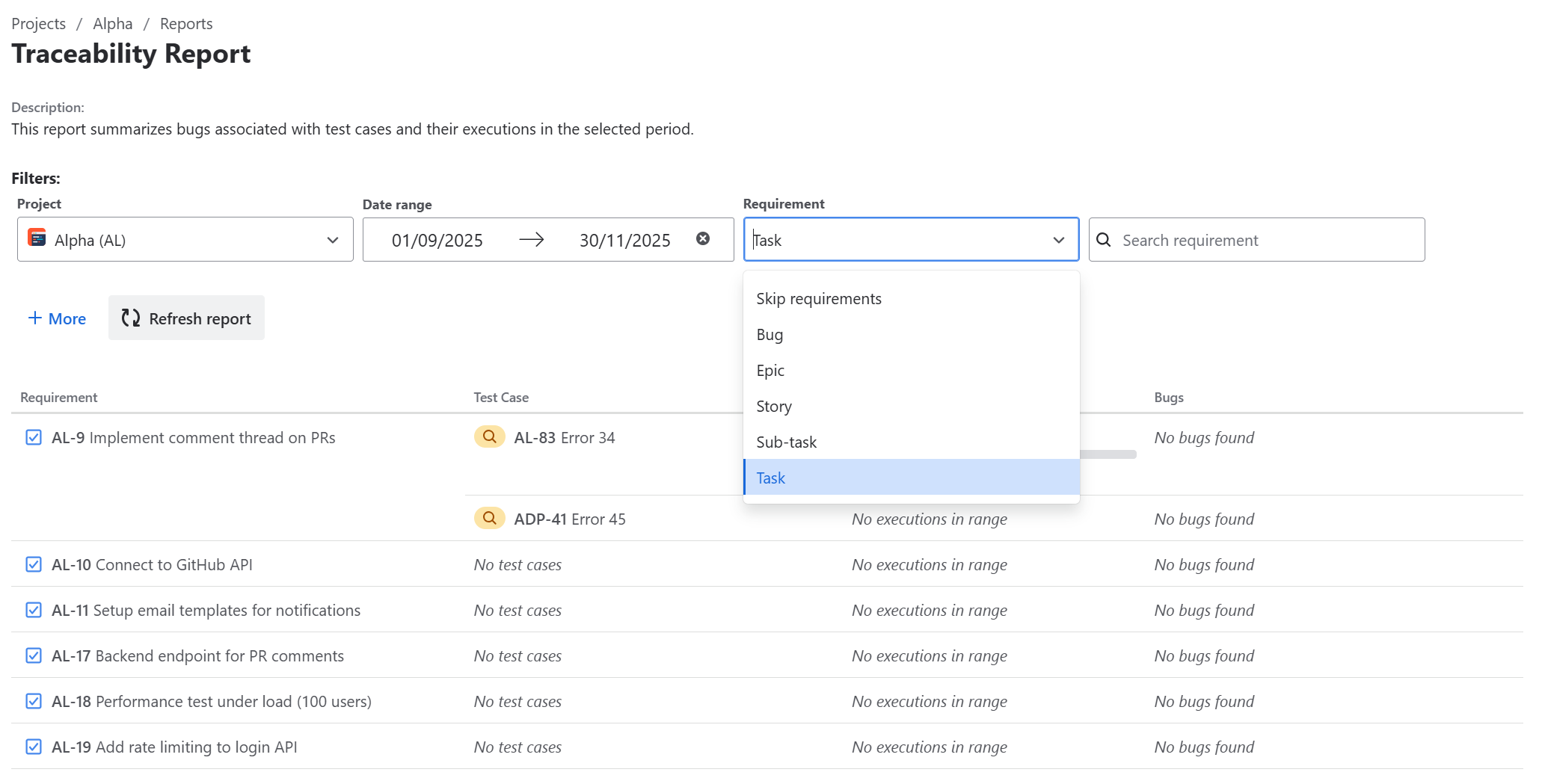
If you want to check the requirement coverage just select the proper issue type, e.g. Epic or Task.
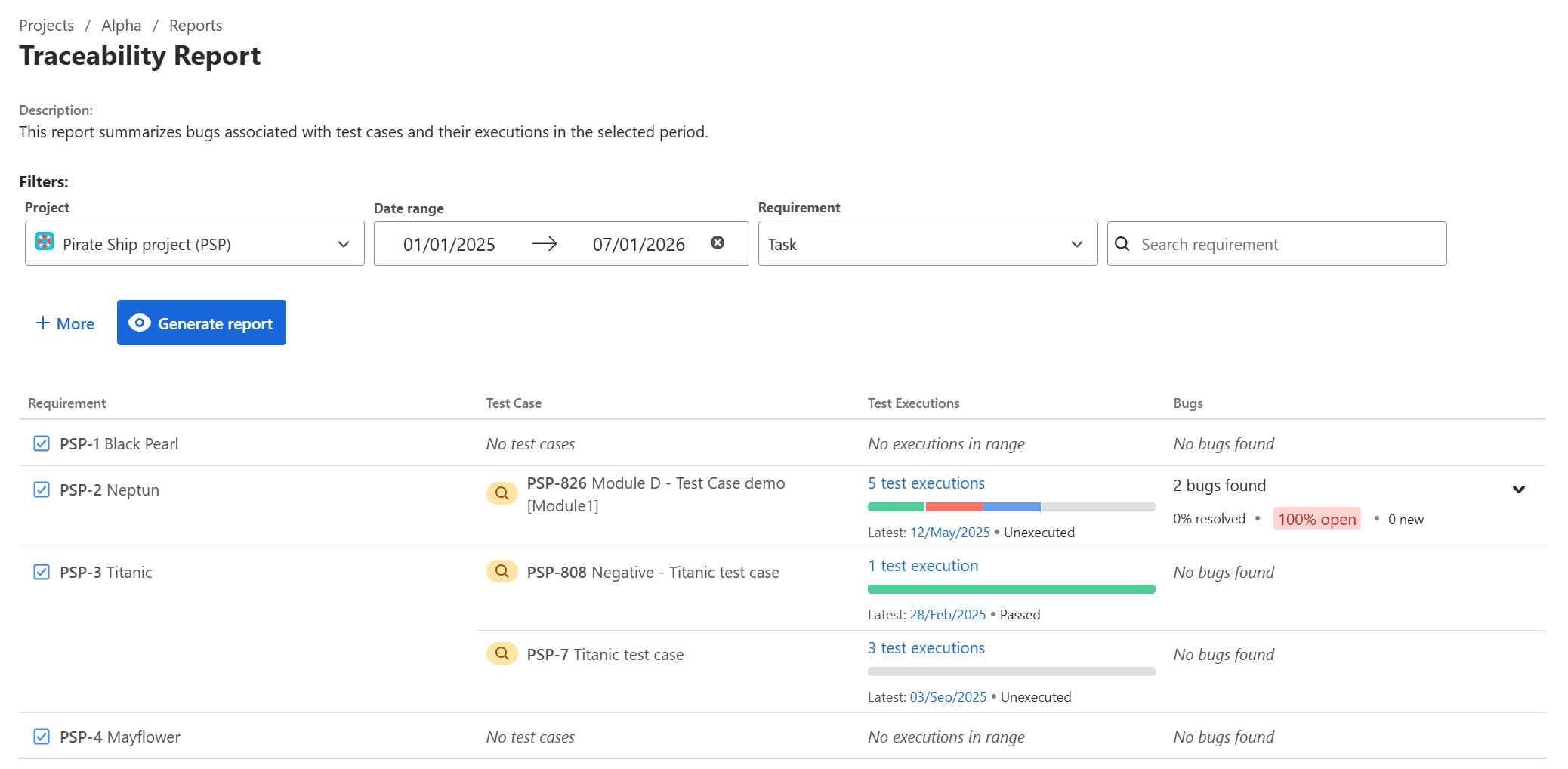
After generating a report, you’ll find all of the selected issue types and corresponding test cases that are linked to the Jira issue.
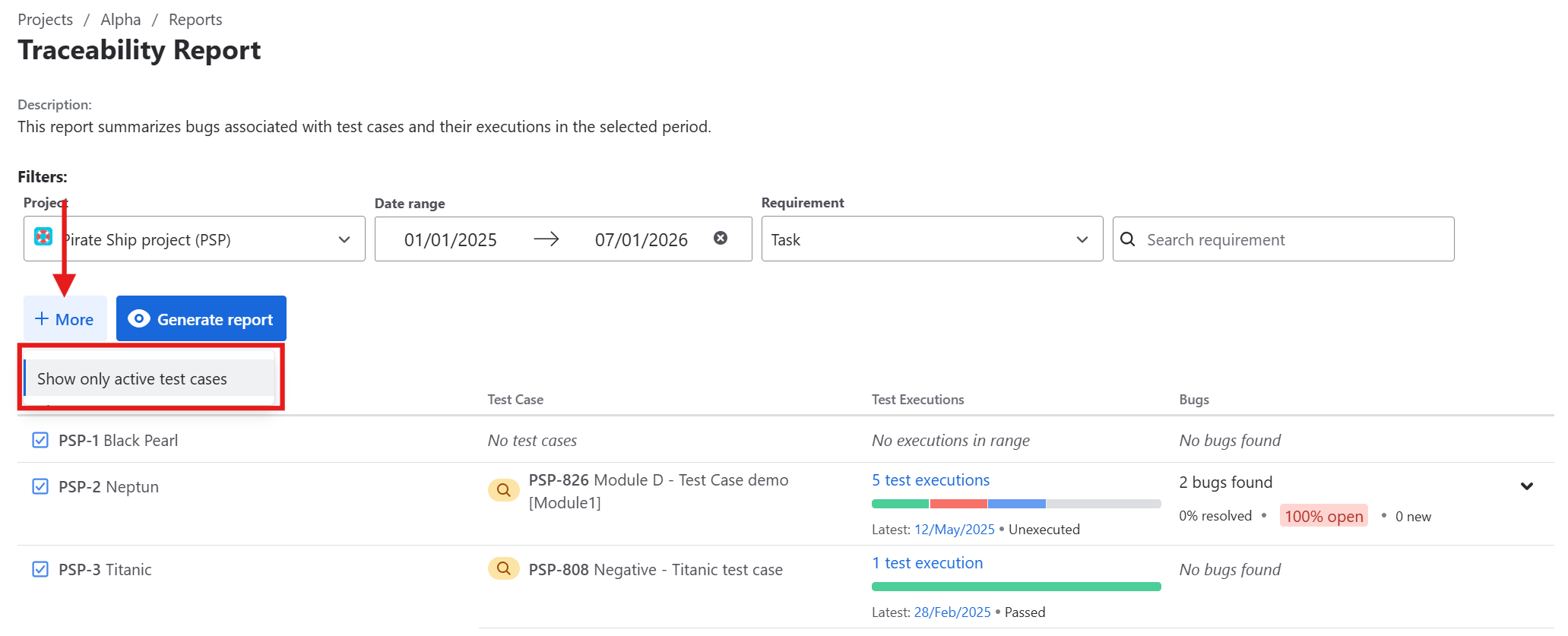
Currently, it’s possible to filter by active test cases. This means, that only test cases without resolution will be displayed.
Do you have any questions or feedback? Feel free to contact us here 💡