.png)
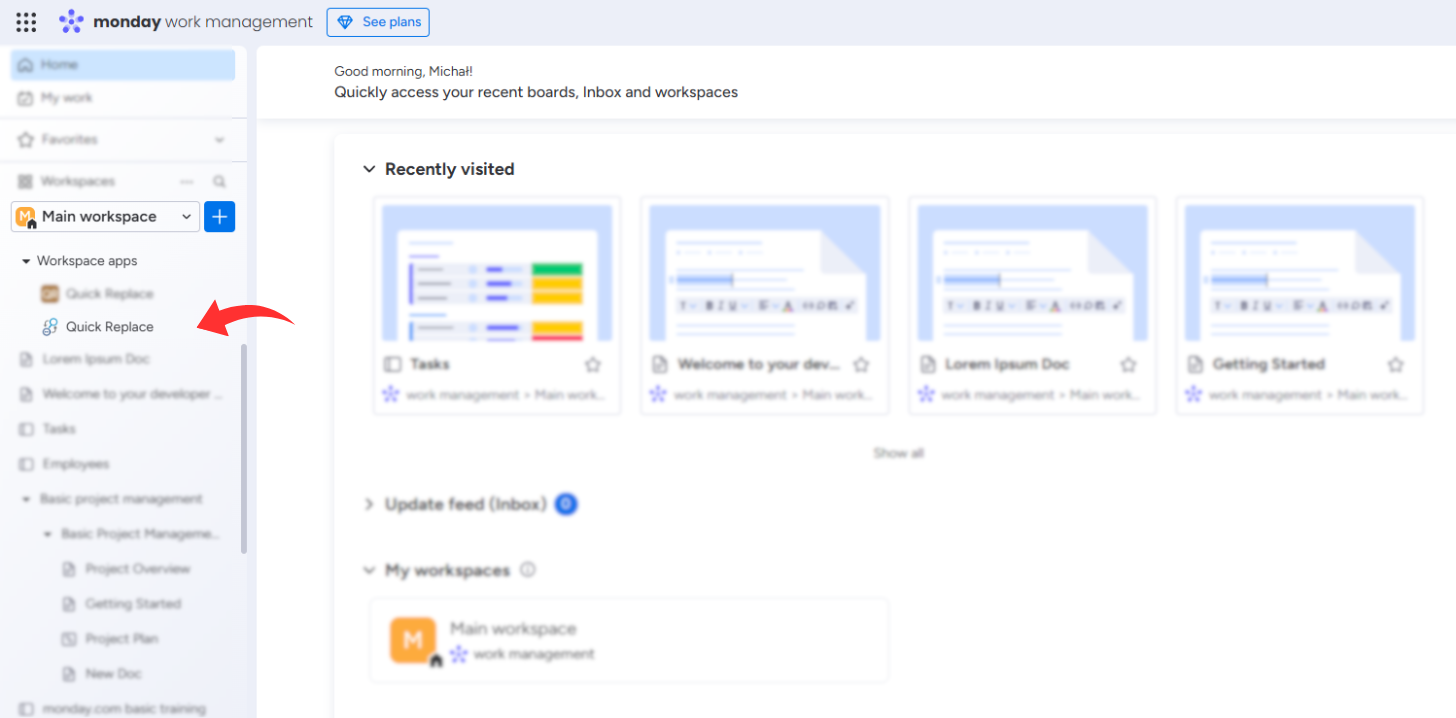
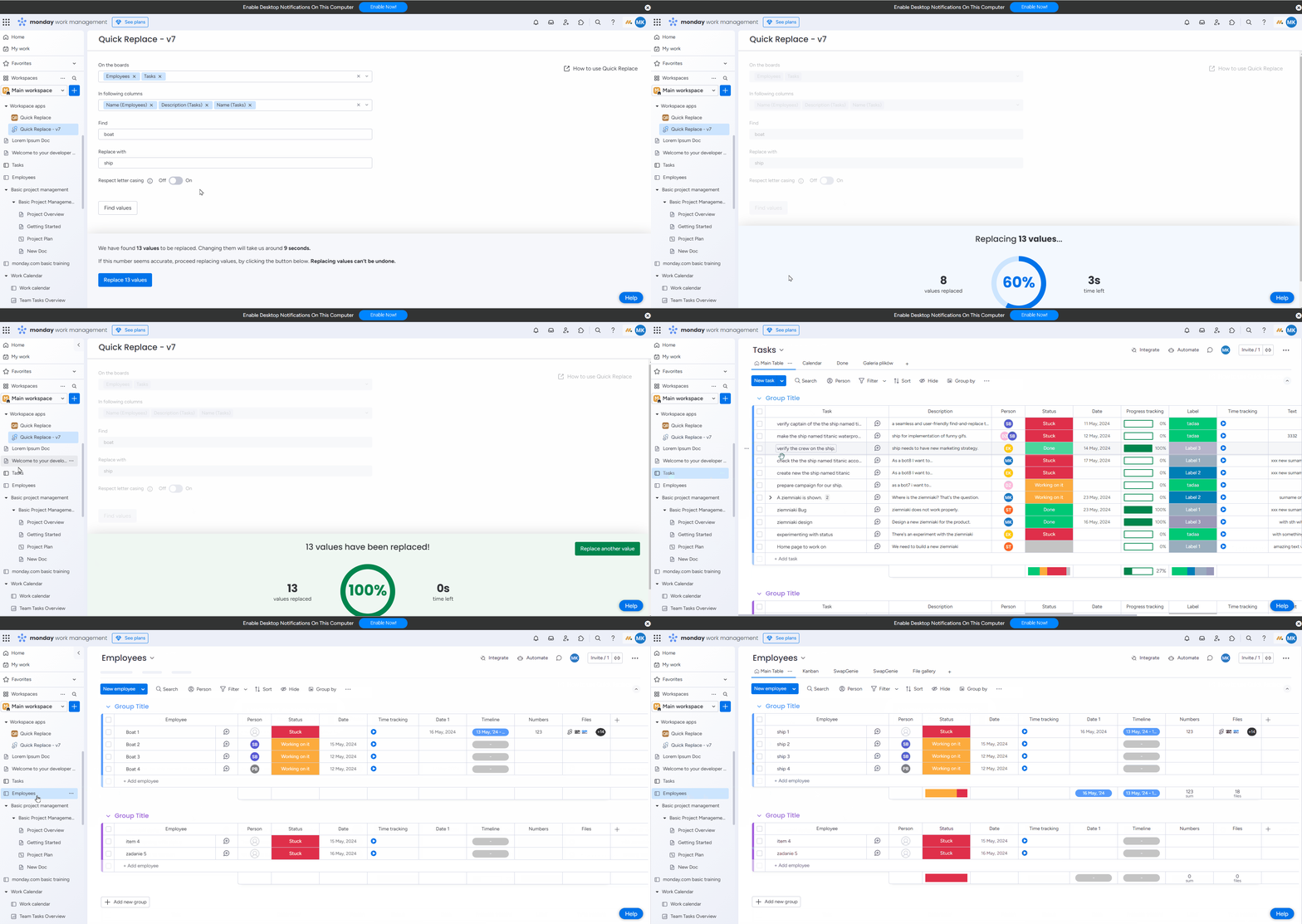
Click on the sidebar menu called Workspace Apps.
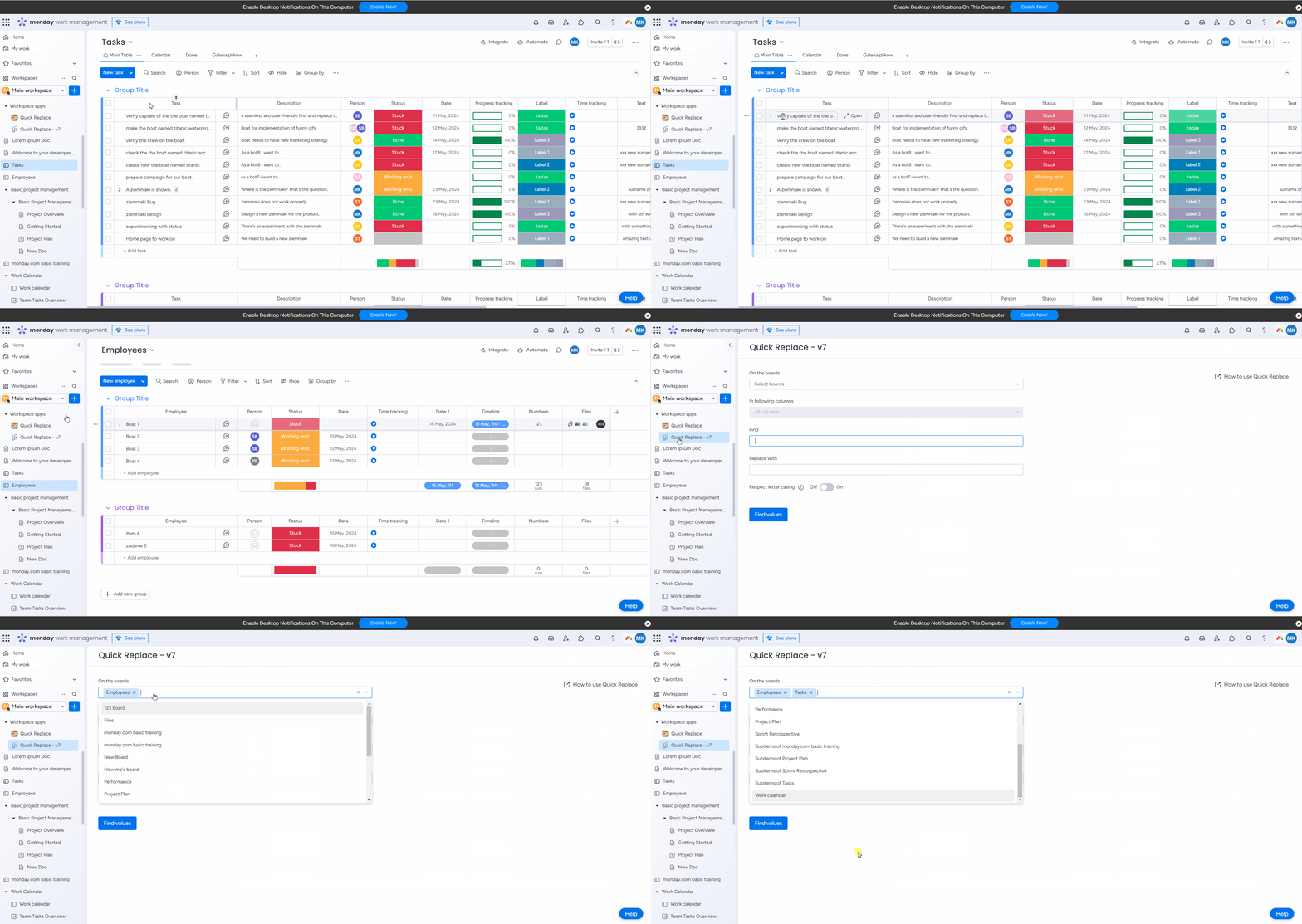
Select the boards, on which you want to make your search and changes.
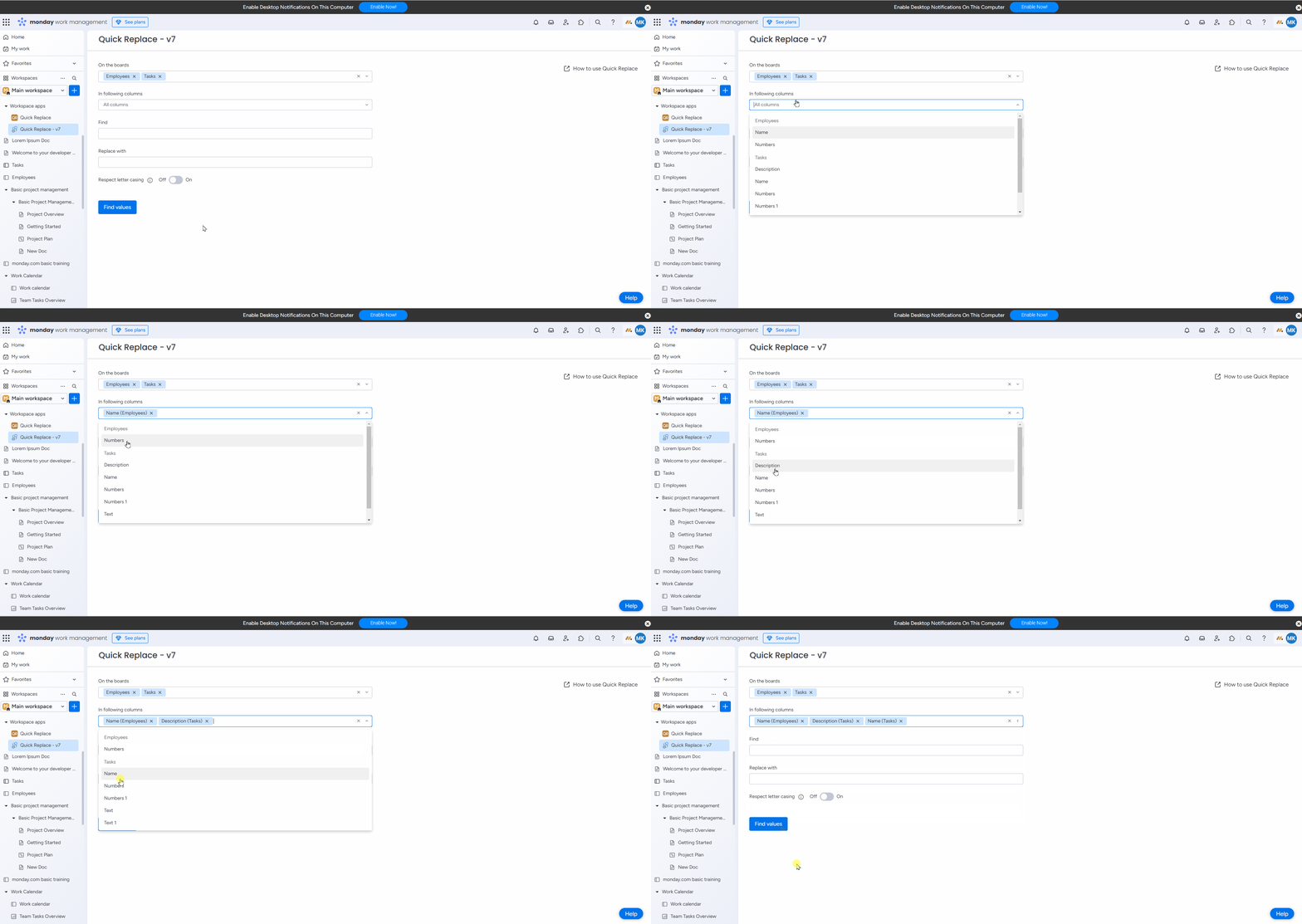
Choose the columns in which you want to make a change. We support the following column types:
-
name,
-
text,
-
long text,
-
numbers.
Type in the searched value.
Next type in the value that you want to replace it with. It can be a singular word, a number, or a sentence.
There is also an option to enable case-sensitivity.
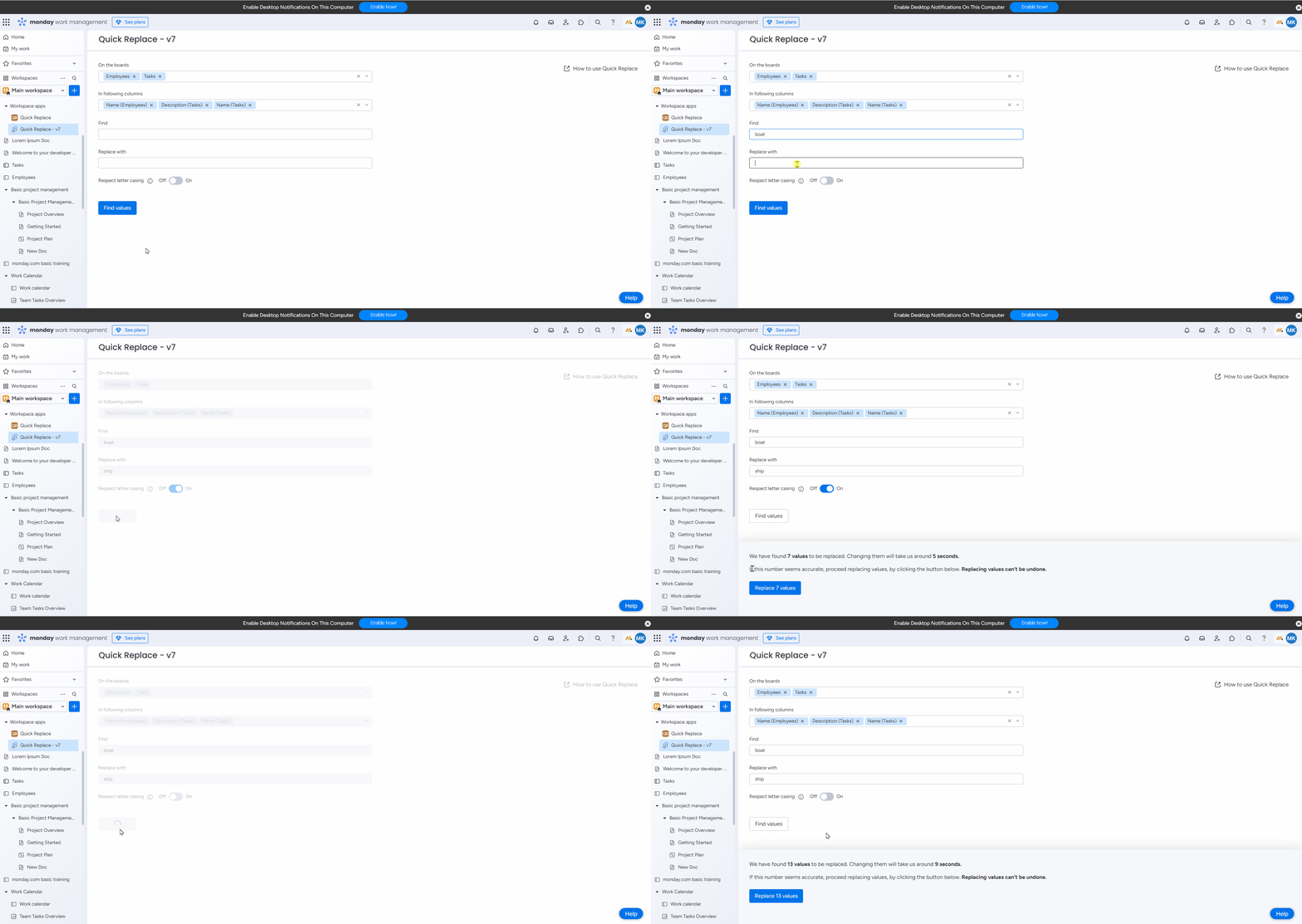
Once you are ready, click Find values. After a few seconds, Quick Replace will show you the report of found values. Click Replace values to update them. Please keep in mind that once the values are updated you can’t undone it.
Do you have any questions or feedback? Feel free to contact us 💡