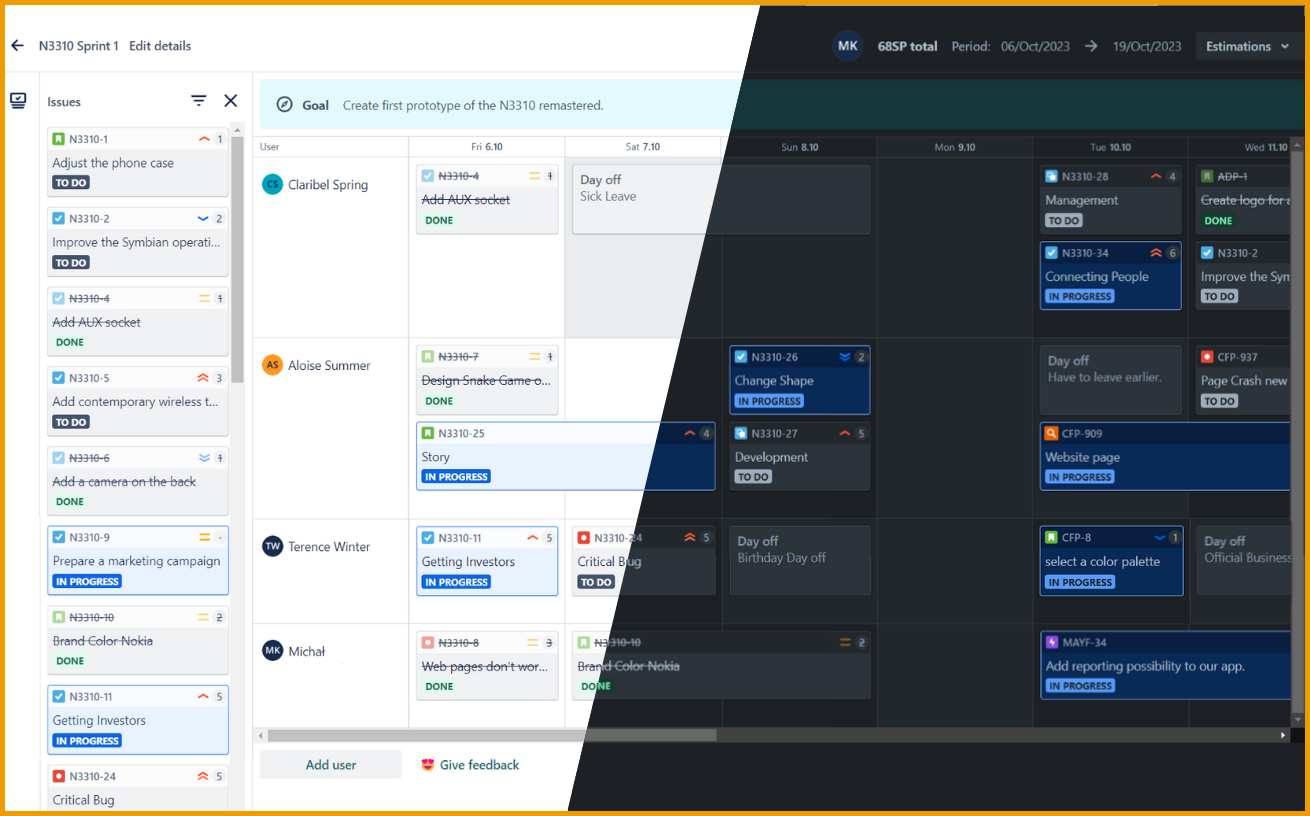
In the Team Planner app, you can display your plans in light or dark mode.
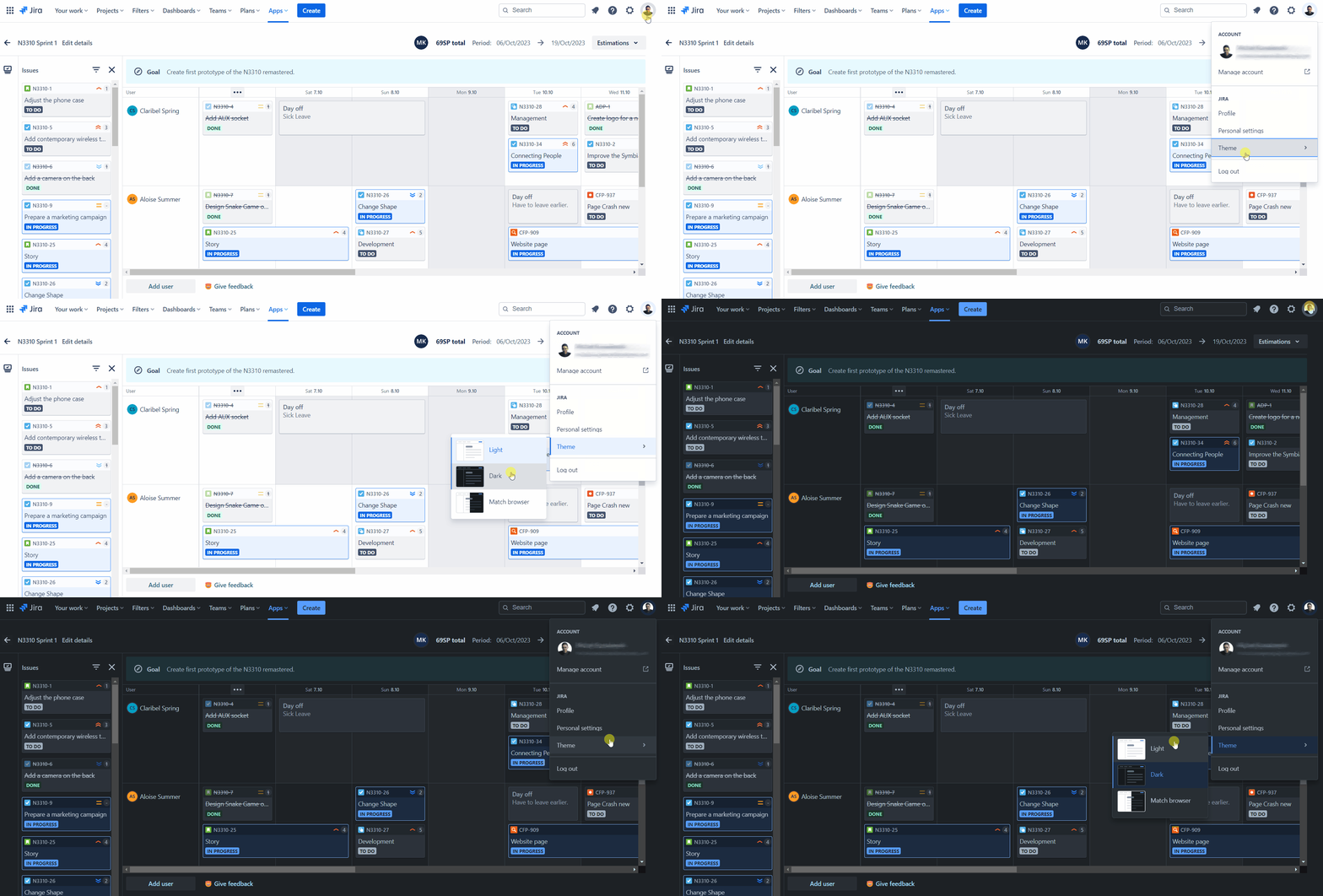
To change the mode click on your avatar, choose Theme, and select the one you’d like to use:
Do you have any questions or feedback? Feel free to contact us here 💡
.png)
In the Team Planner app, you can display your plans in light or dark mode.
To change the mode click on your avatar, choose Theme, and select the one you’d like to use:
Do you have any questions or feedback? Feel free to contact us here 💡