.png)
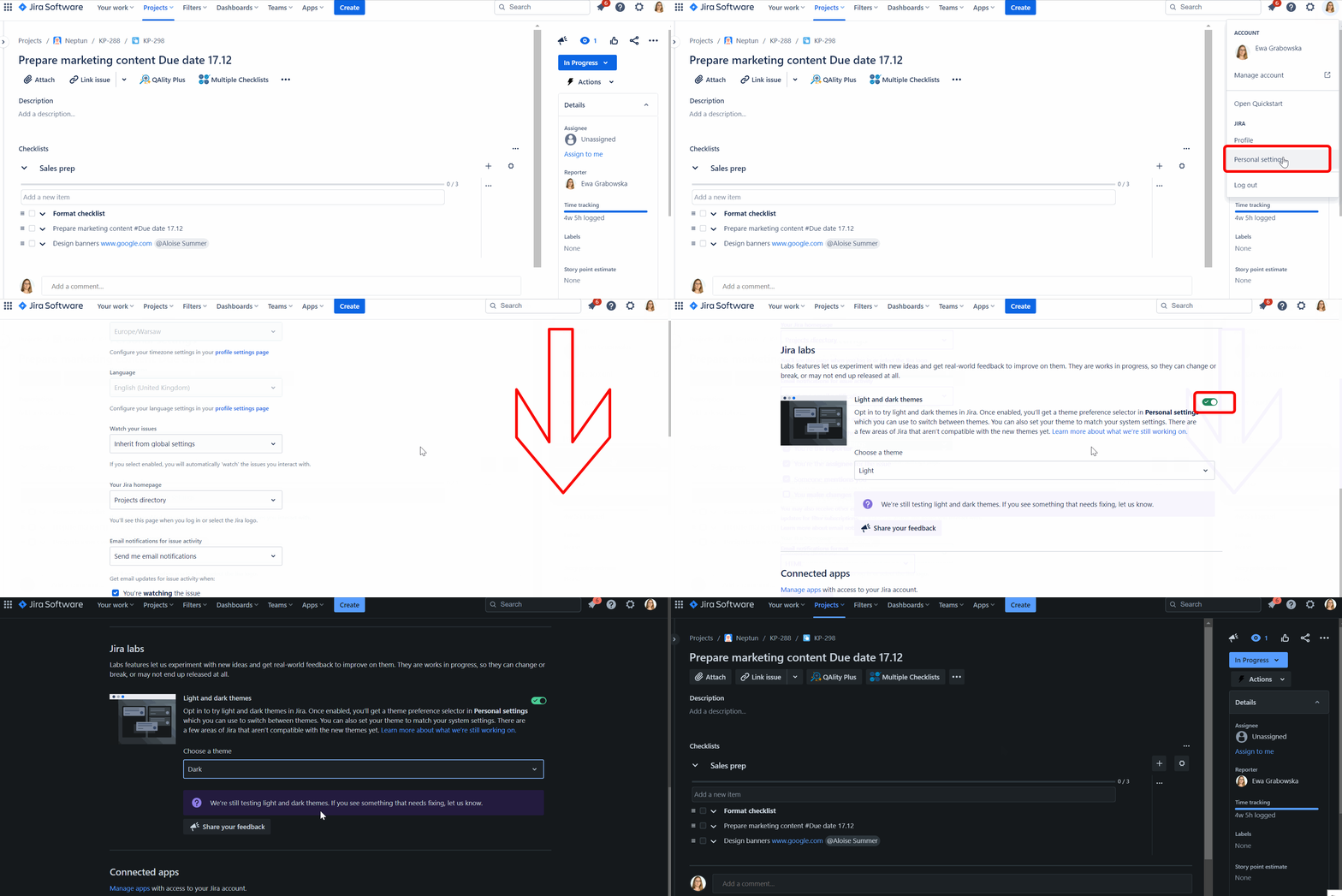
Multiple Checklists support Jira’s dark mode. To enable dark mode:
Go to Settings → Personal Jira settings → Scroll down the page to Jira labs → Switch Light and dark themes using the toggle.
Do you have any questions or feedback? Feel free to contact us here 💡