.png)
Worklogs for monday.com helps teams track time against shared business goals, not just individual tasks. The core concept is the Initiative: a time budget that can represent a client, project, department, contract, or internal objective. By connecting one or more boards to an Initiative, teams can log time in context, monitor remaining budget, and review work across people, items, and subitems.
-
Project teams - Logging time directly to work items across boards
-
Workspace owners - Configuring and maintaining initiative structure
Agencies or service teams - Monitoring retainer budgets
Use case: Your team works on monthly retainers for multiple clients, each with a fixed number of prepaid hours. You need to see how much time has already been spent, how much remains, and whether the team is at risk of over-servicing a client before the billing period ends.
Who it's for: Agencies, consultancies, client success teams, and service organizations that work within agreed time budgets.
Here's how it looks in practice:
-
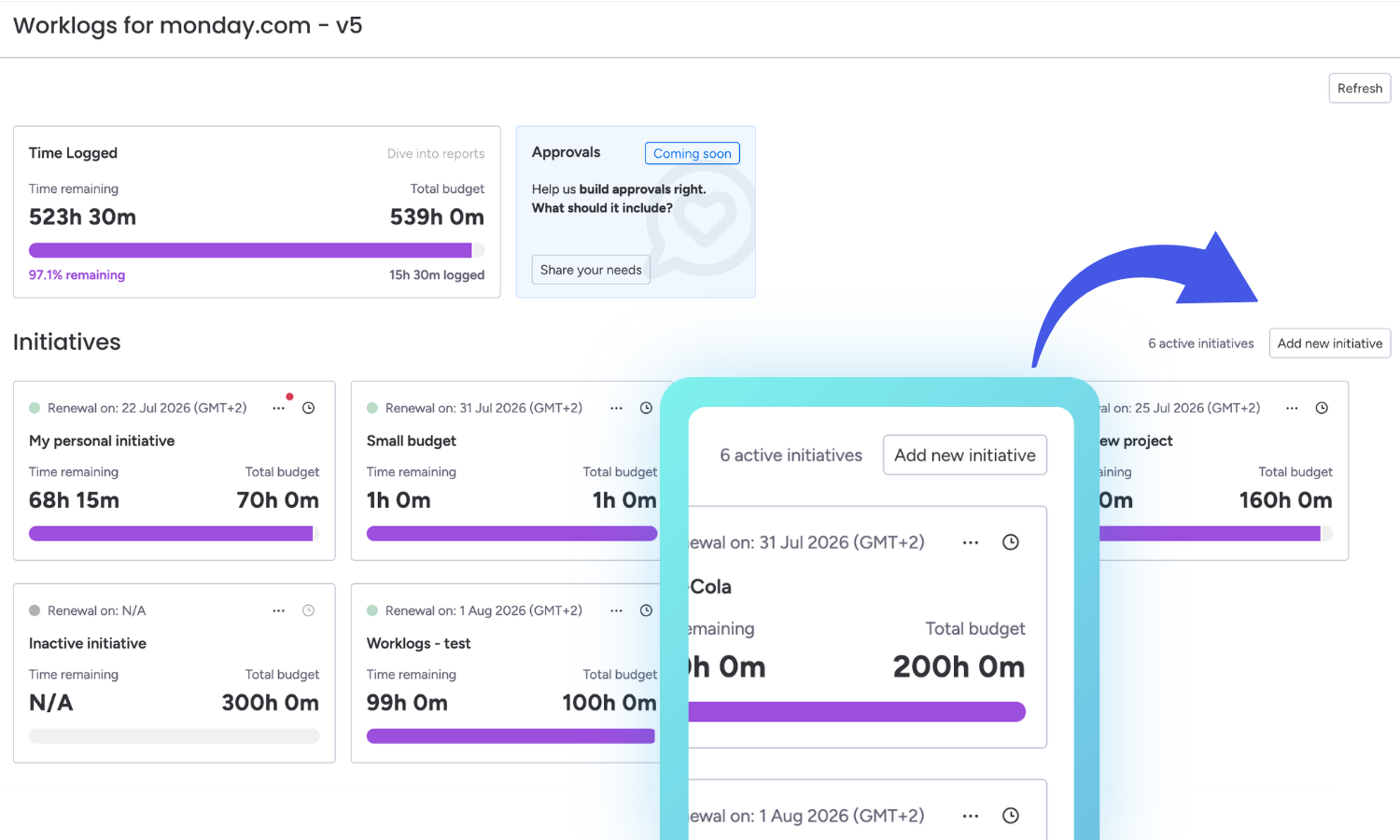
Create an Initiative for each client or retainer.
-
Connect the relevant boards so multiple team members can log time against the same Initiative.
.gif?cb=e30cbcc8c79a2fba16e13f14f86ab955)
-
Set the allocated budgeted hours and, if needed, add initial hours for work already completed.
.gif?cb=13d8b8b4875901163103342917368be2)
-
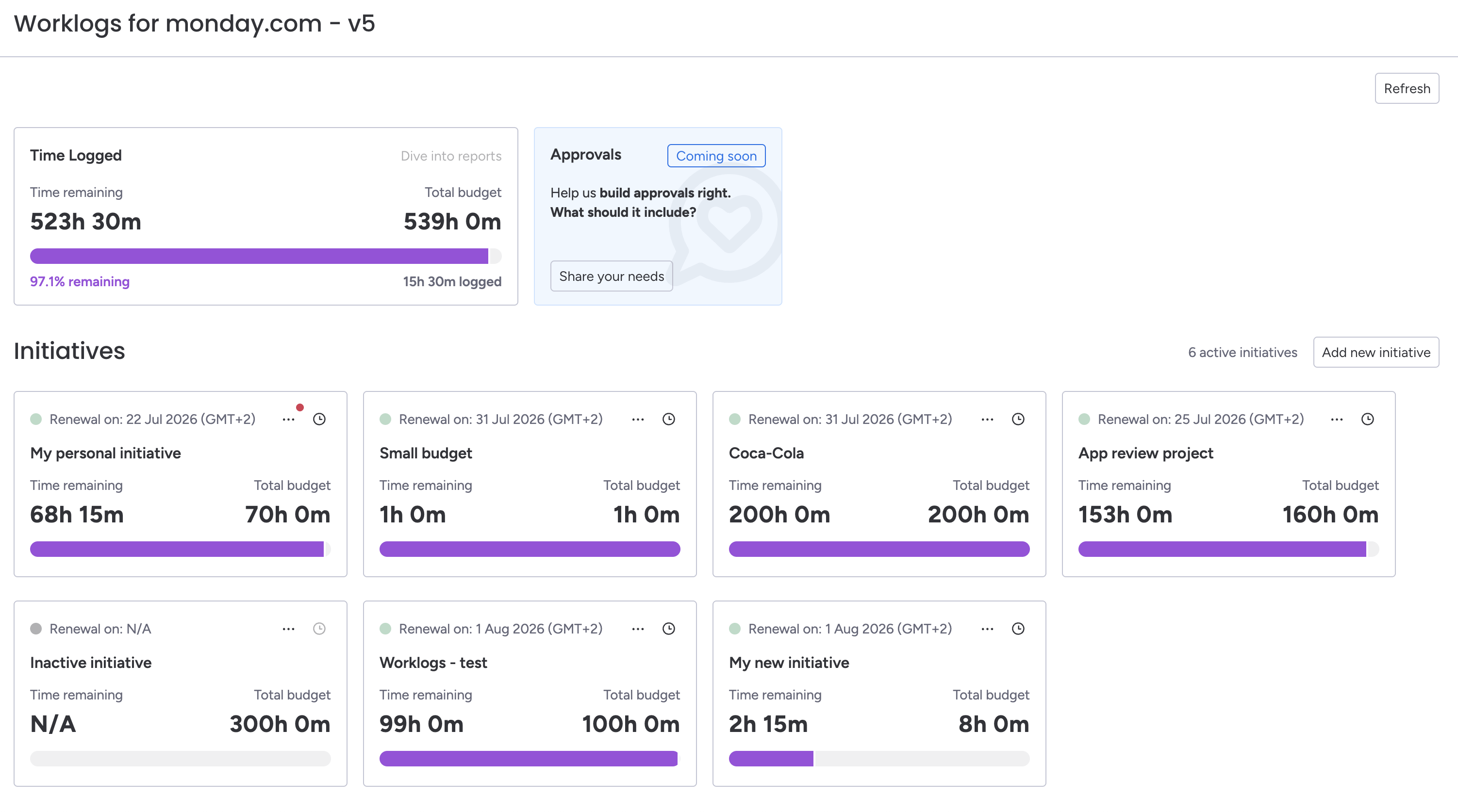
Track budget vs. actual usage in one place and review remaining hours in real time.
Internal teams - Managing fixed time allocations
Use case: Your company wants to control how much time is spent on internal objectives such as process improvement, onboarding, enablement, operations, or product discovery. Instead of tracking this work loosely, you need a dedicated time budget with clear visibility into how much effort it consumes.
Who it's for: Operations, HR, enablement, product, and cross-functional internal teams.
Here's how it looks in practice:
-
Create an Initiative for the internal objective, such as onboarding or process improvement.
-
Assign one or more boards used by the team.
-
Set the allocated budgeted hours.
-
Let contributors log time to their work items.
-
Review spent vs. remaining time to understand whether internal work stays within plan.
Project teams - Logging time directly to work items across boards
Use case: Your work is spread across multiple boards, but the time should roll up into one shared objective. You want people to log time from the item or subitem they are already working on, without forcing them to maintain a separate manual tracker.
Who it's for: Delivery teams, project managers, and distributed teams working across multiple boards.
Here's how it looks in practice:
-
Create an Initiative and connect all relevant boards.
-
Worklogs adds a dedicated Time Logged column for that Initiative on each connected board.
-
All time entries contribute to the shared Initiative budget and reporting view.
Workspace owners - Configuring and maintaining initiative structure
Use case: A workspace owner or app user needs to define how time should be organized across teams by creating Initiatives, assigning boards, and maintaining budget settings over time.
Who it's for: Workspace owners, operations leads, PMO roles, and admins responsible for setup.
Here's how it looks in practice:
-
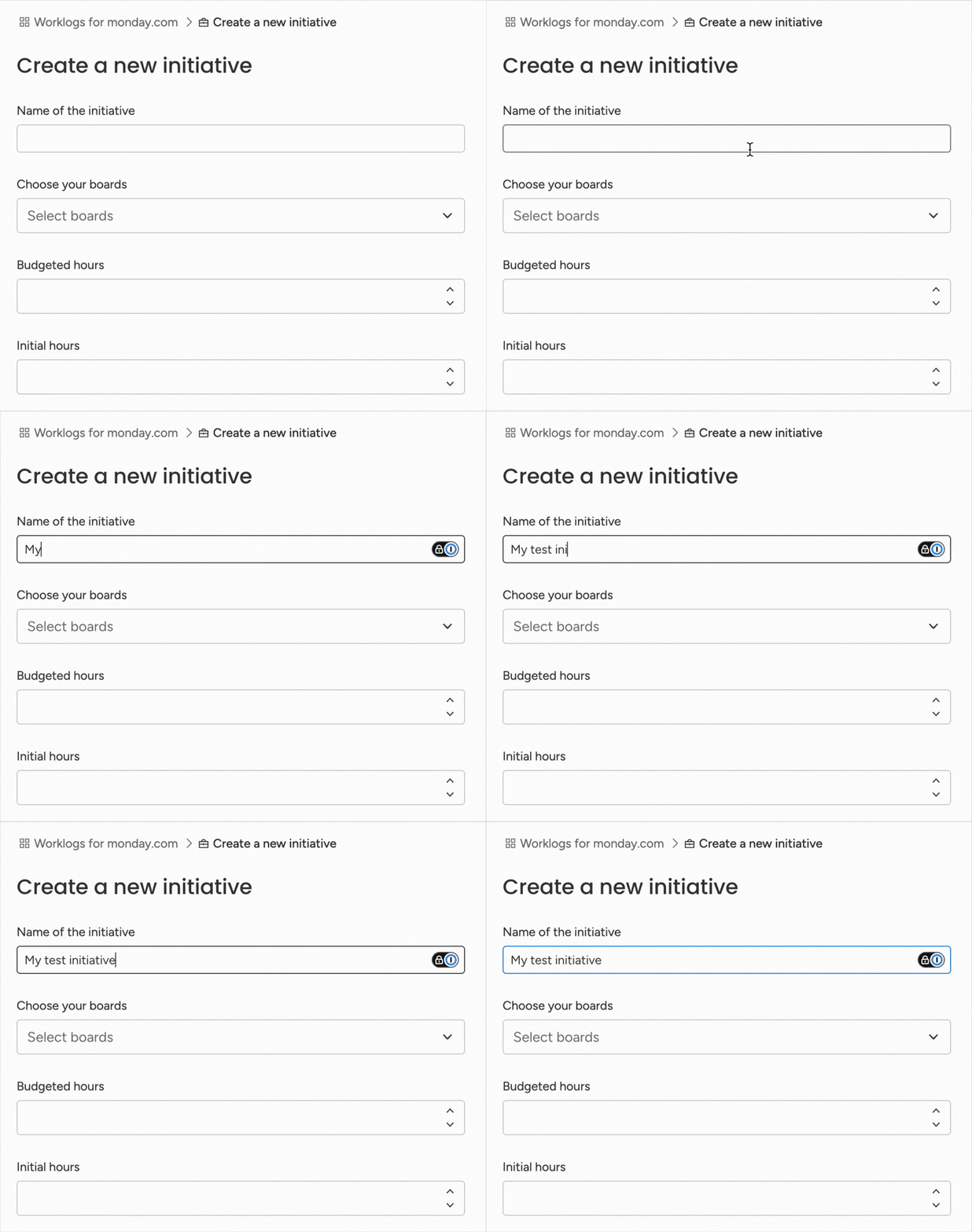
Create a clearly named Initiative that reflects the real business objective.
-
Connect all boards that should contribute time to that Initiative.
-
Set budgeted hours and initial hours where relevant.
-
Maintain the structure as new teams, boards, or projects are added.
Common user goals behind these use cases
|
Goal |
What Worklogs helps users do |
|---|---|
|
Control budgets |
Track allocated vs. spent hours for clients, projects, or internal work. |
|
Improve visibility |
See who logged time, where it was spent, and how it rolls up to a larger objective. |
|
Support billing |
Keep time data accurate enough for invoicing, reviews, and stakeholder communication. |
|
Coordinate teams |
Let multiple people log time across multiple boards into one shared Initiative. |
|
Reduce manual effort |
Log time in the board context where work already happens instead of maintaining a separate tracker. |
Summary
The strongest Worklogs for monday.com use cases center on shared time budgets, cross-board visibility, and simple reporting. The app is especially valuable for teams that need to track remaining hours in real time, connect daily work to larger business objectives, and keep time data practical for planning, billing, or internal control.