
To check the app subscription details and billing information, navigate to admin.atlassian.com/billing and sign in with your site admin credentials. This centralized billing portal allows you to view your current plan, verify your next billing date, manage payment methods, and review your complete invoice history.
To manage your Worklogs subscription:
-
Go to admin.atlassian.com/billing.
-
Find and select the Worklogs app from your list of active subscriptions.
-
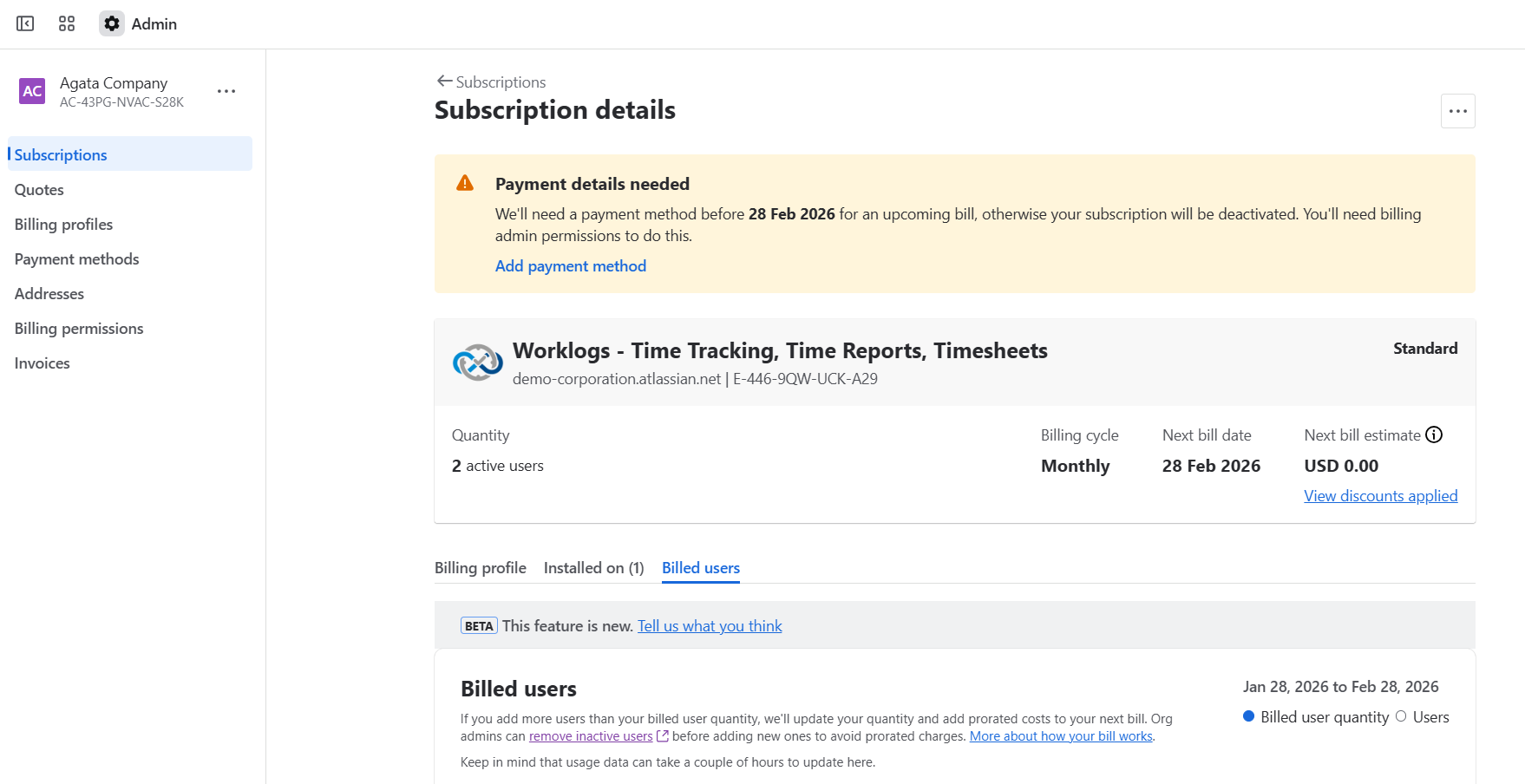
On the application details page, you can access the following information:
-
Billing cycle: View whether you are on a monthly or annual plan.
-
Next bill date & estimate: See when your next payment is due and the estimated amount.
-
Discounts: Review any active discounts applied to your account.
-
-
By clicking the three dots (ellipsis) in the top right corner, you can perform administrative actions such as:
-
Applying a promo code.
-
Canceling your subscription.
-
Do you have any questions or feedback? Feel free to contact us here 💡