.png)
How to install the app?
-
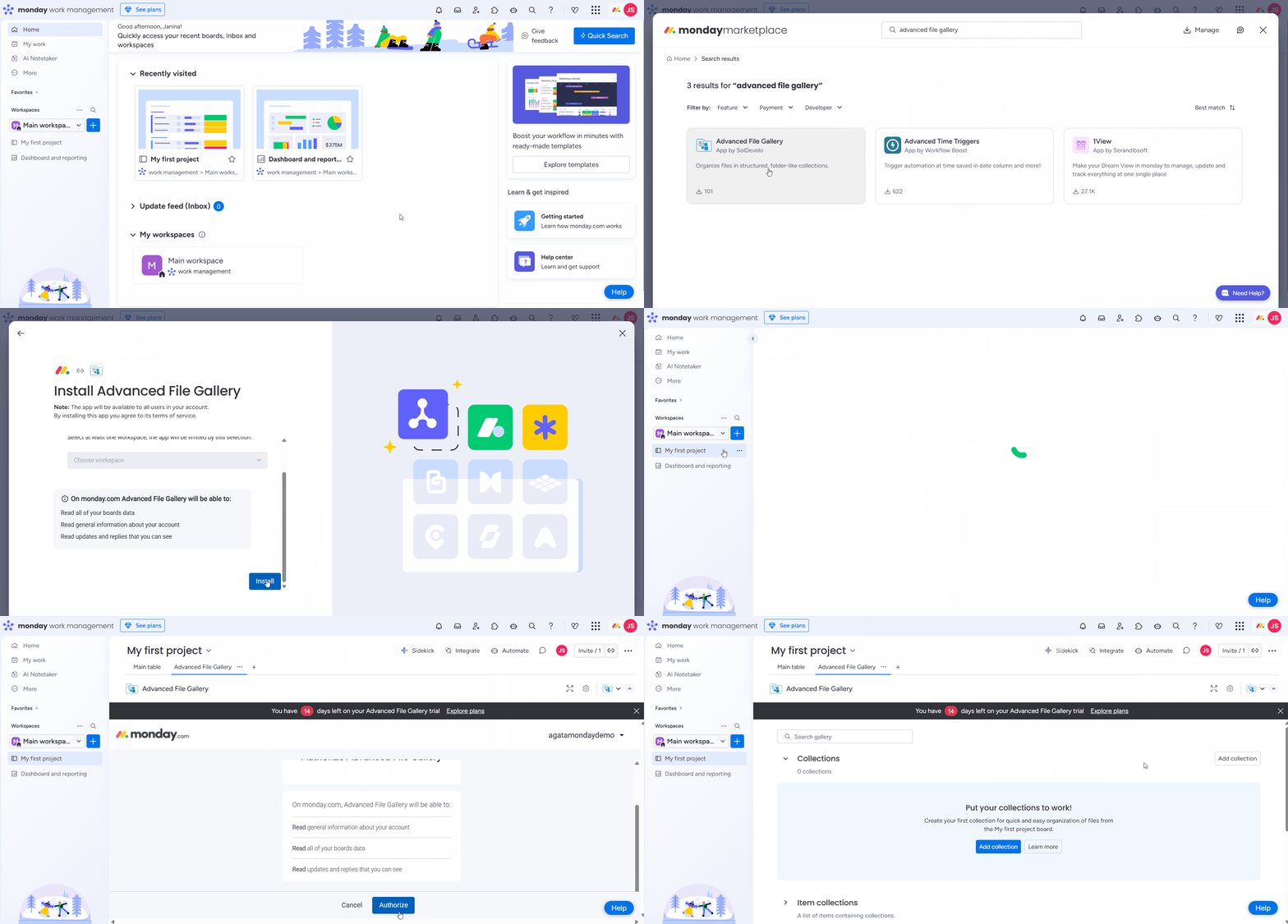
Log in to your monday account.
-
Navigate to the upper right corner and click on monday marketplace.
.png?cb=169391f36269c56809e729c9df7b3552)
-
To find our app, search for Advanced File Gallery by SolDevelo.
-
As an administrator, you can choose to Install app and start using it right away.
-
While installing, select the workspace and a board you want to add the app to.
-
If you are not an administrator, you can instead click Request to add. Once your monday administrator approves the request, the app will be installed.
Where can I find the app?
Advanced File Gallery can be used in the board view.
First, click on the plus icon and add a new view, select apps and then choose Advanced File Gallery.
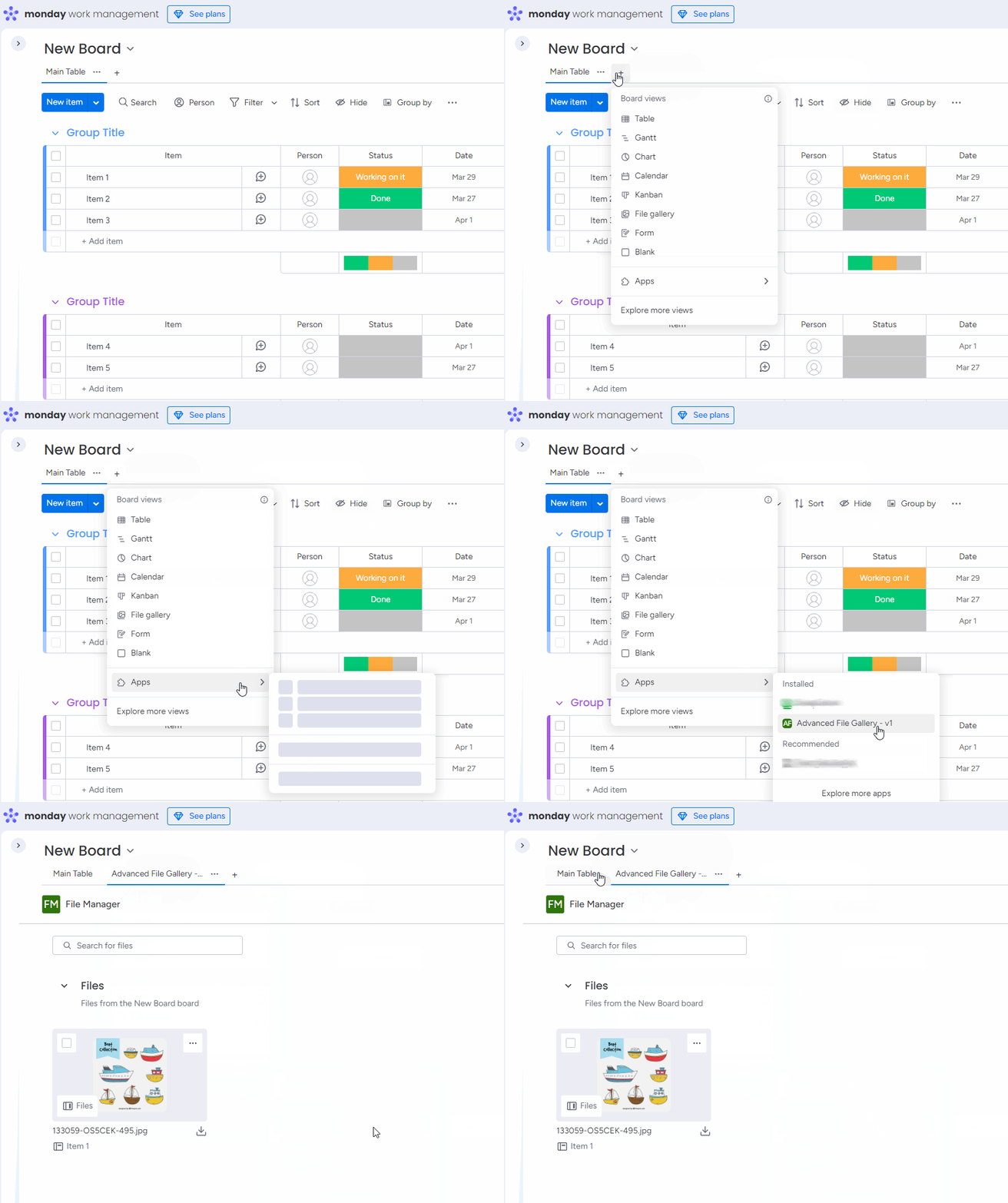
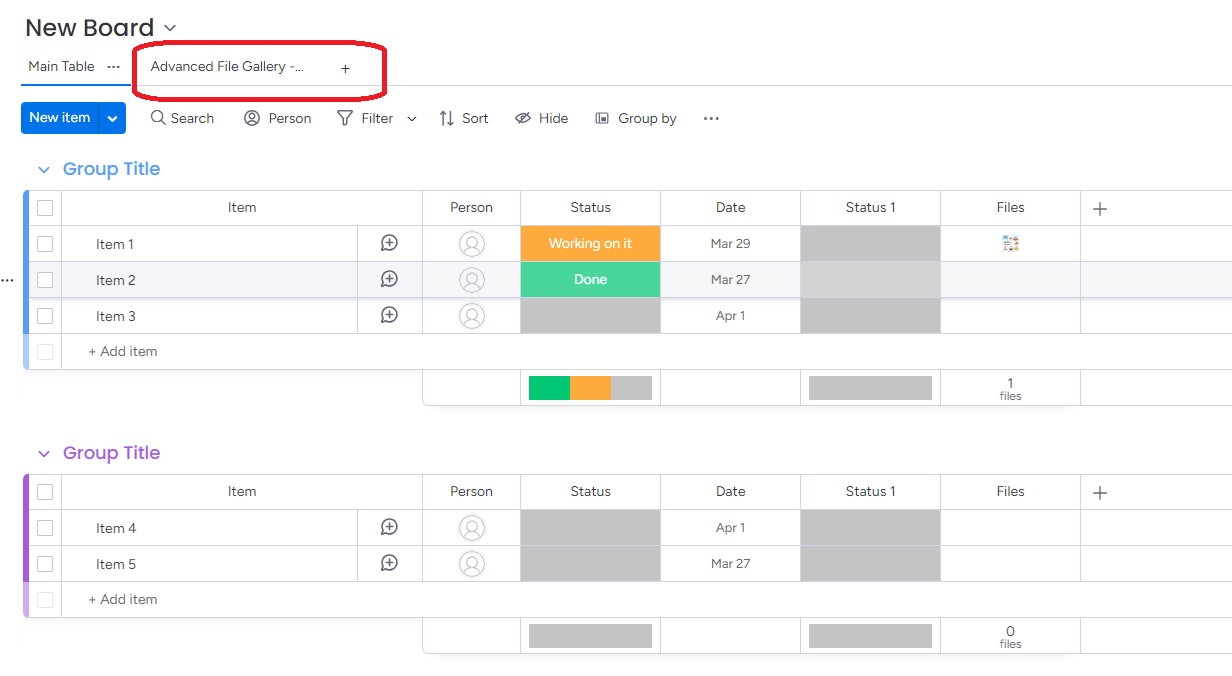
Click on the app name to access Advanced File Gallery.
Troubleshooting: “Invalid License” message after installation
Some users may occasionally see an “invalid license” notification after installing the app.
This issue originates from the http://Monday.com platform, not from the app itself.
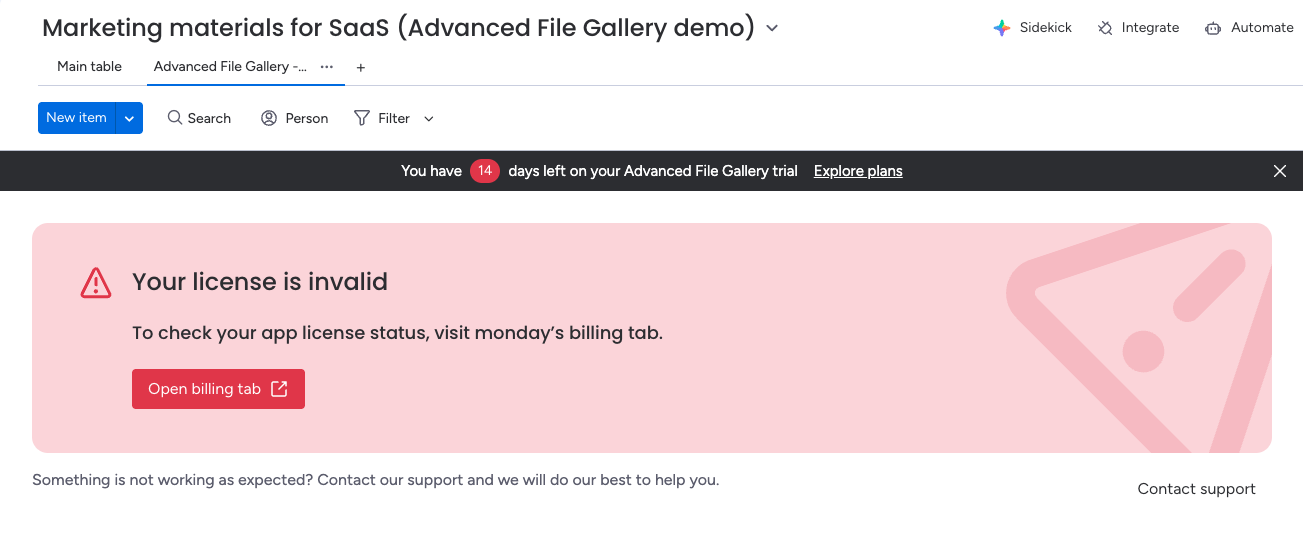
Below are two recommended workarounds that typically fix the problem:
-
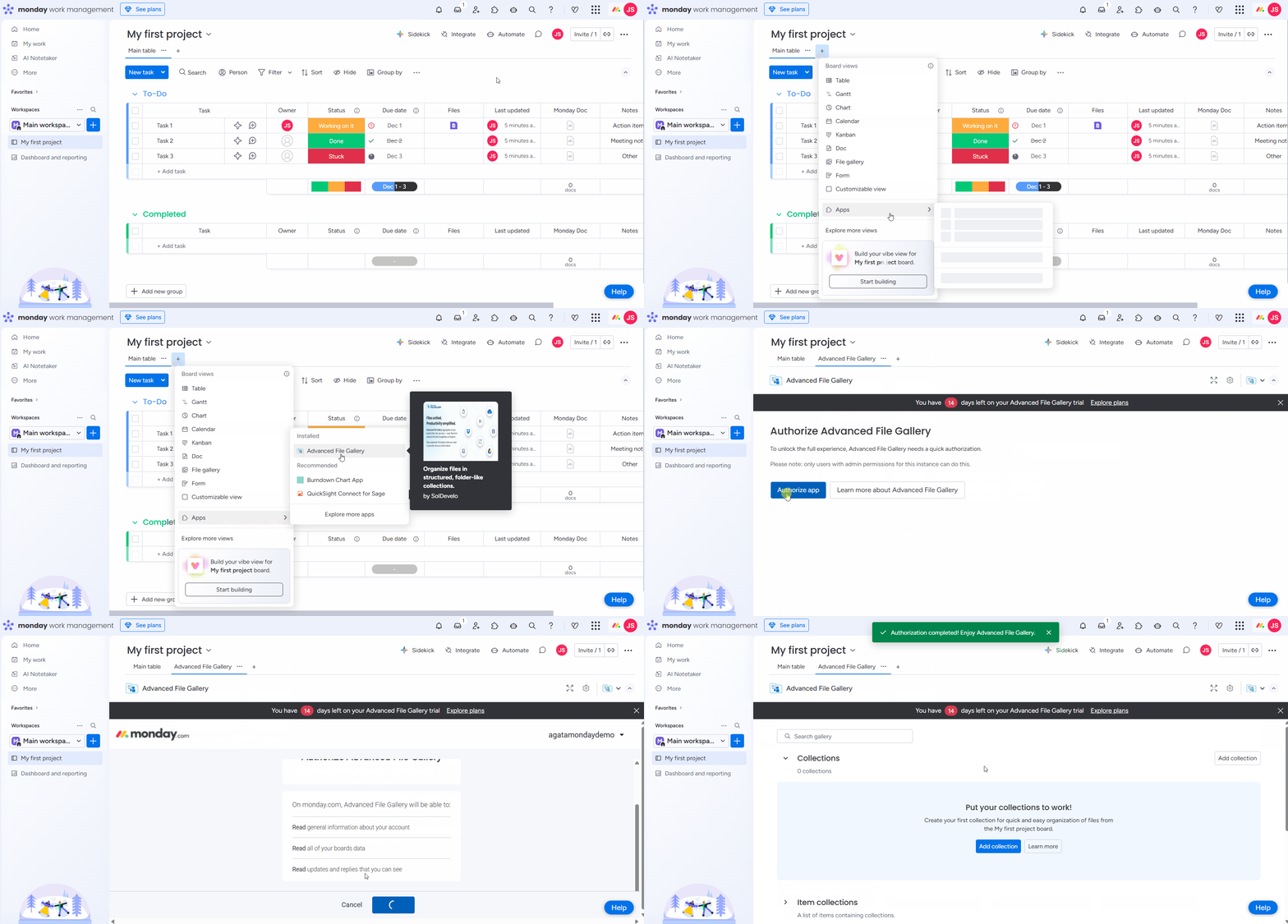
Re-authorize the app via a Board view
-
Go to any board that you have created.
-
Add a new view by clicking the “+” icon in the list of board views (tabs).
-
Select Apps, then search for and choose Advanced File Gallery.
-
You should now see the app authorization screen.
Once the authorization screen appears and you confirm it, the app should start working properly.
-
Reinstall the app & clear browser cache
-
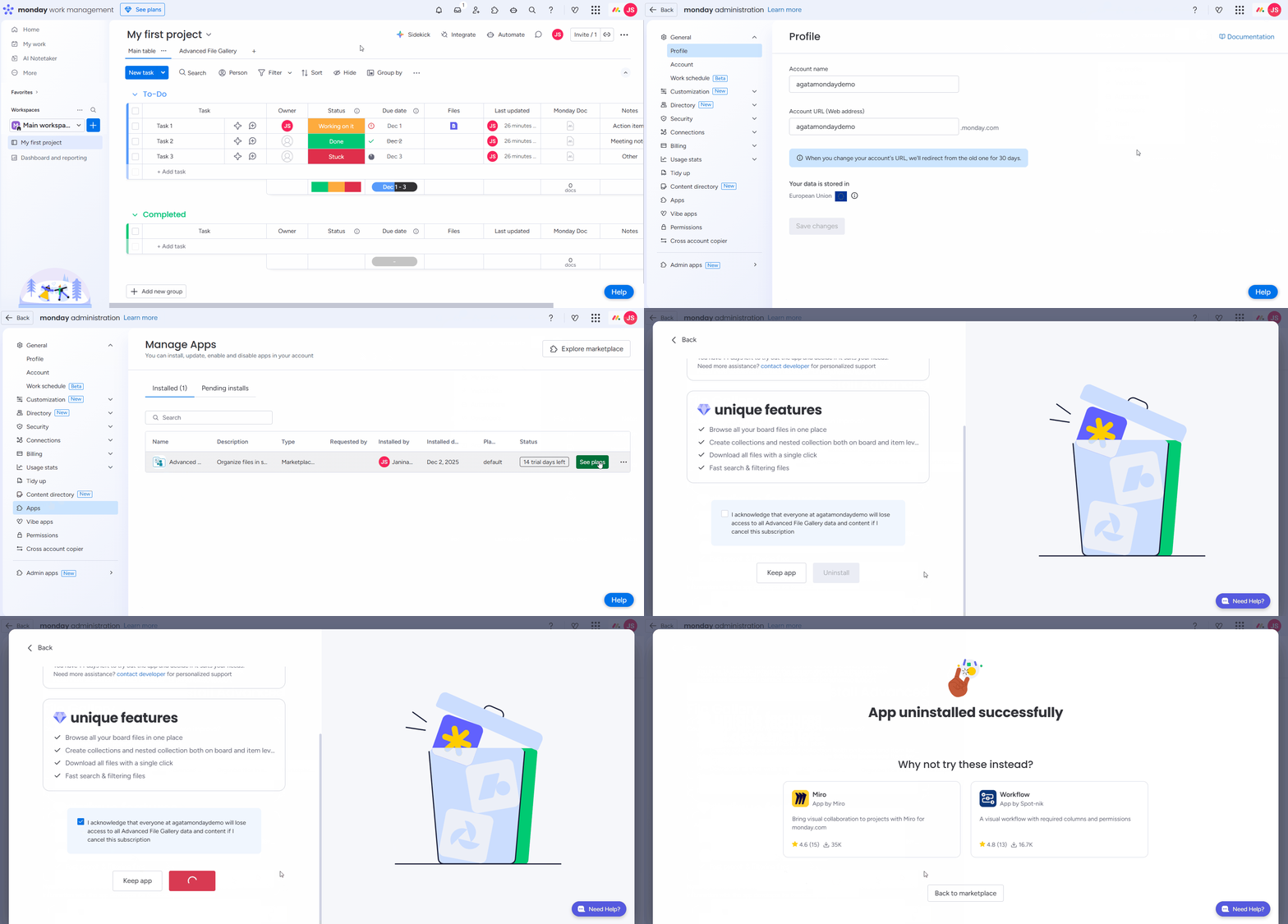
Remove the app from your http://monday.com platform account.
-
Go to Your Profile (top right corner) → Administration → Apps → Find Advanced File Gallery → three dots → Uninstall
-
-
Clear your browser cache, as caching is often the main cause of this issue.
-
Reinstall the app according to the installation instructions.
After completing these steps, the license should be recognized correctly.
If the issue persists, please inform us.
Need assistance or have feature ideas? We value your input - feel free to reach out to our team at any time 💡