.png)
Currently, Jira automation doesn’t clone checklists along with the work item. This means that while the issue itself can be cloned, any checklists added to it won’t be copied over.
However, fear not! This page will walk you through a simple workaround to ensure that your checklists are included when cloning issues via Jira automation.
-
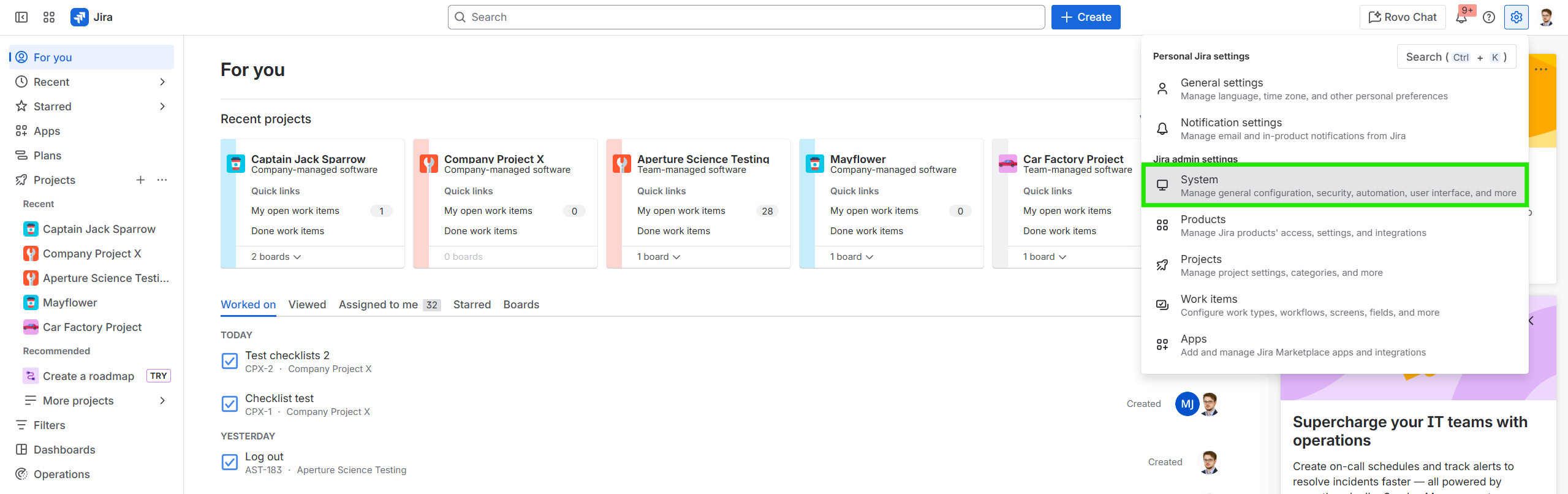
Go to Jira Settings (⚙️ gear icon in the upper right corner) → System;
-
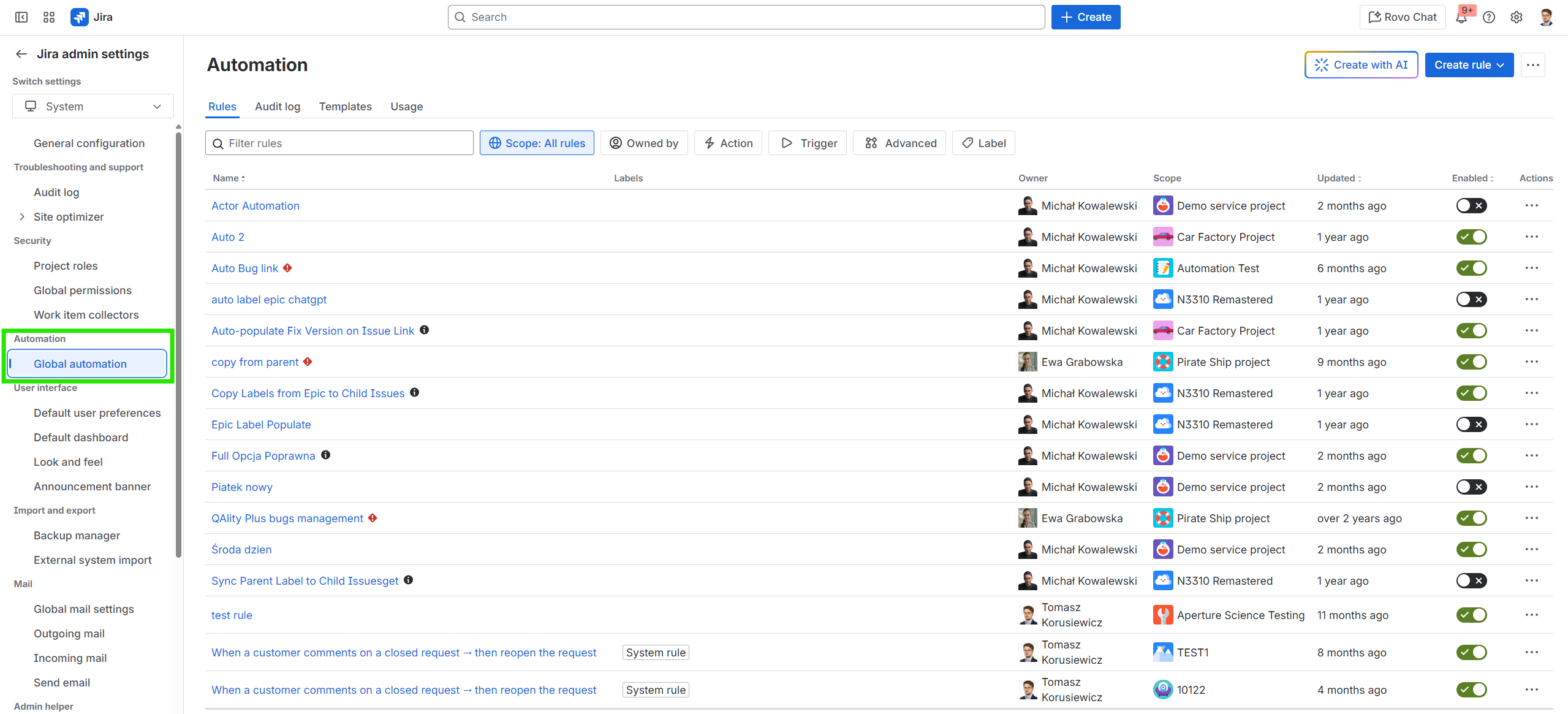
Click on Global automation (under Automation tab);
-
Click on the Create rule button → Create from scratch;

-
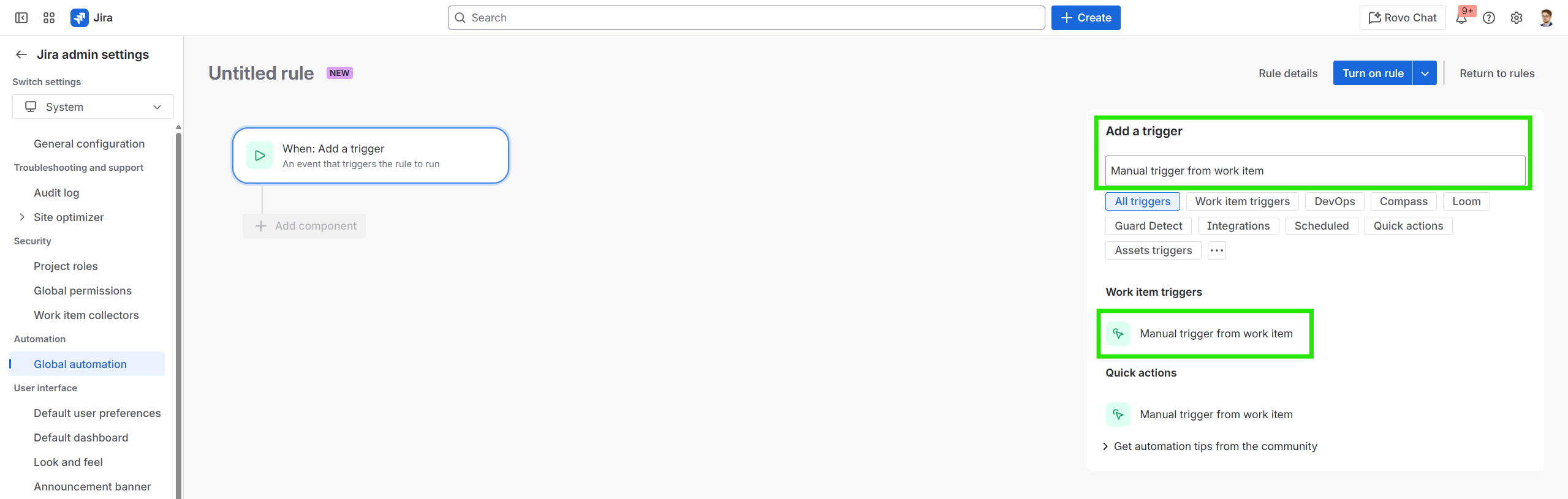
Under Add a trigger window, use the search bar to find the trigger called Manual trigger from work item and click on it to add it to your rule;
-
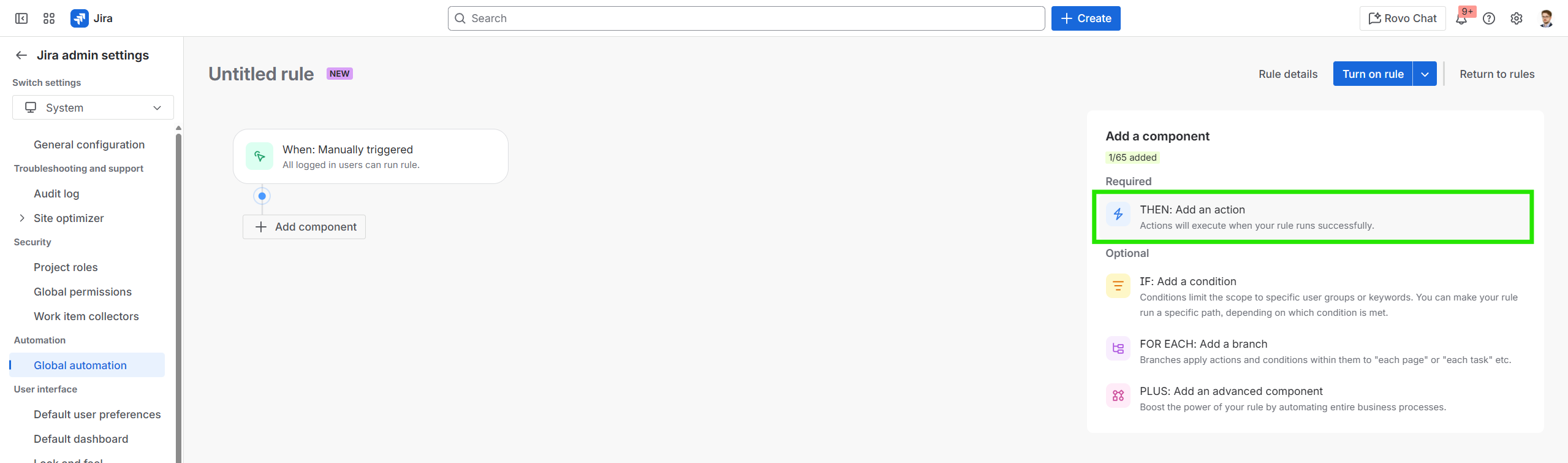
Click on Next and select the component THEN: Add an action;
-
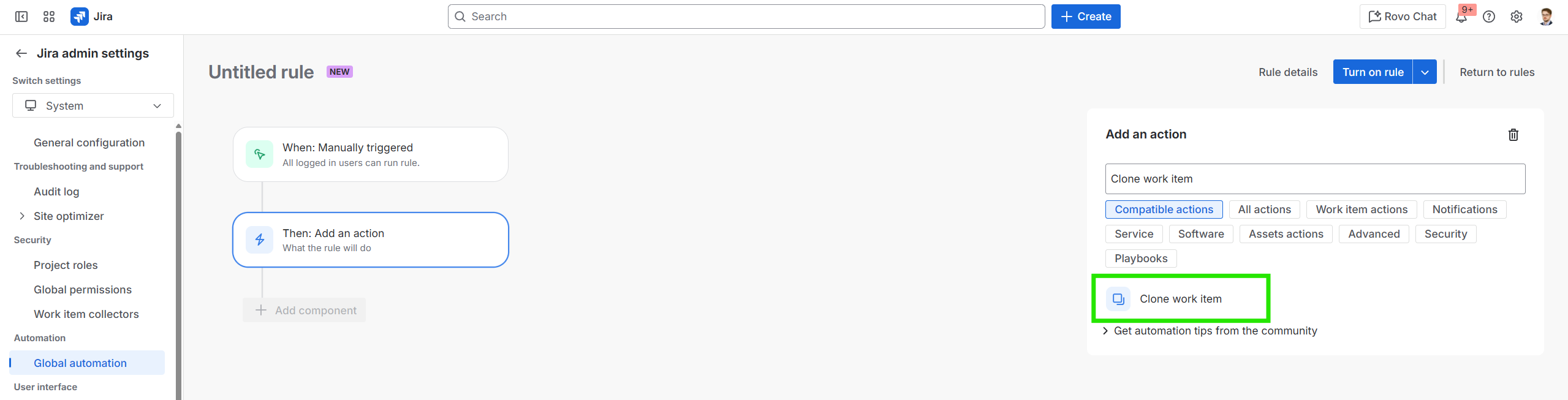
Search for the action Clone work item;
-
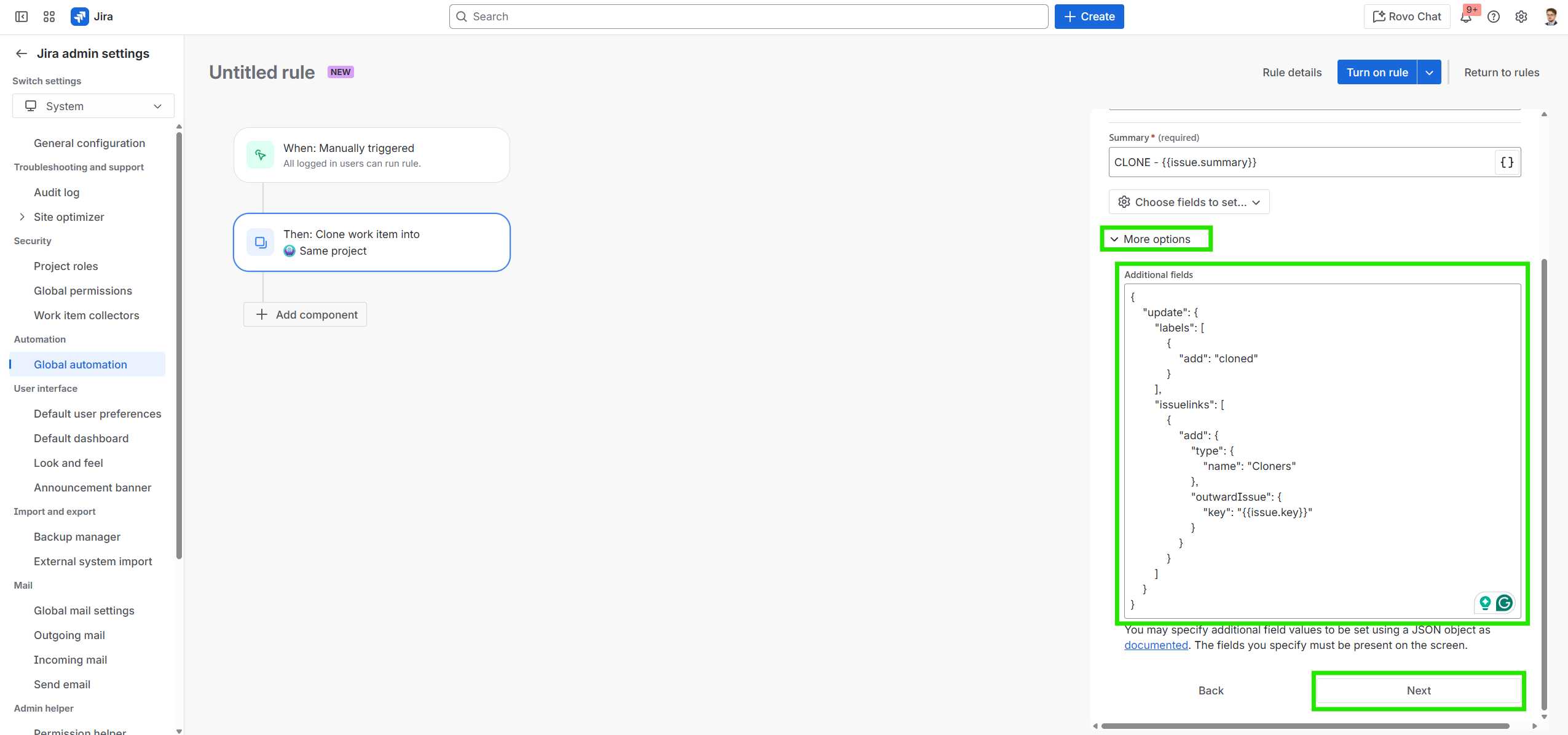
Select More options, and make sure to click the text box under Additional fields so it is not grayed out. Please note that the strings in the text box must be the same as these:
{
    "update": {
        "labels": [
            {
                "add": "cloned"
            }
        ],
        "issuelinks": [
            {
                "add": {
                    "type": {
                        "name": "Cloners"
                    },
                    "outwardIssue": {
                        "key": "{{issue.key}}"
                    }
                }
            }
        ]
    }
}
Then, click Next;
-
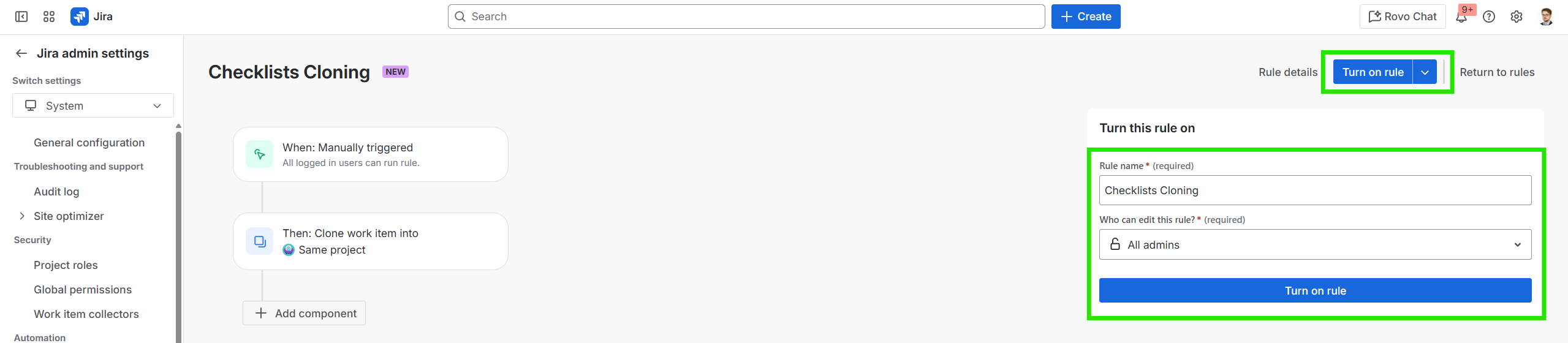
As a final step, click on Turn on rule button, type in any suitable name under Rule name (e.g. Checklists Cloning), and click Turn on rule.
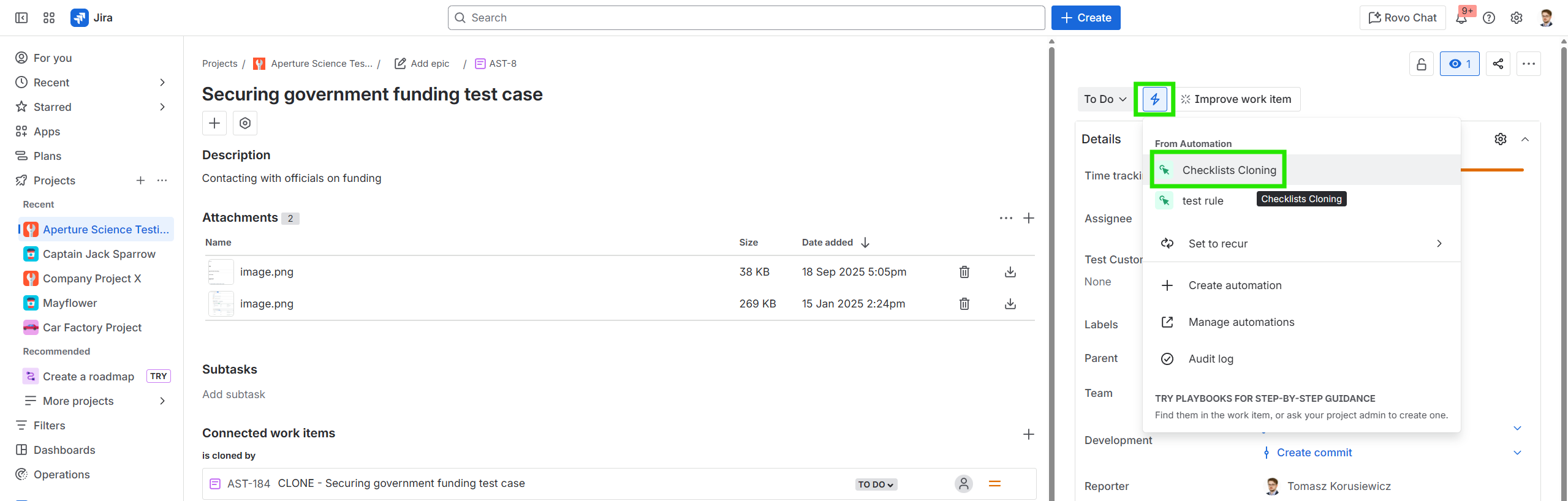
The saved rule will now be turned on globally for your projects within the Jira instance, allowing for cloning your work items with checklists included by going to any work item, clicking on the Automation button, and selecting the newly created automation rule!
Do you have any questions or feedback? Feel free to contact us here 💡