
Tip: Archiving Test Cases
If you want to retire a test case rather than permanently deleting it, we recommend using a dedicated workflow status (such as Deprecated, Obsolete, or Archived) rather than Jira's native Archive issue feature.
Jira's native issue archiving is not officially supported and can cause test cases to appear inconsistently across QAlity and QAlity Plus views. You can find more details in: Archiving Test Case Issues
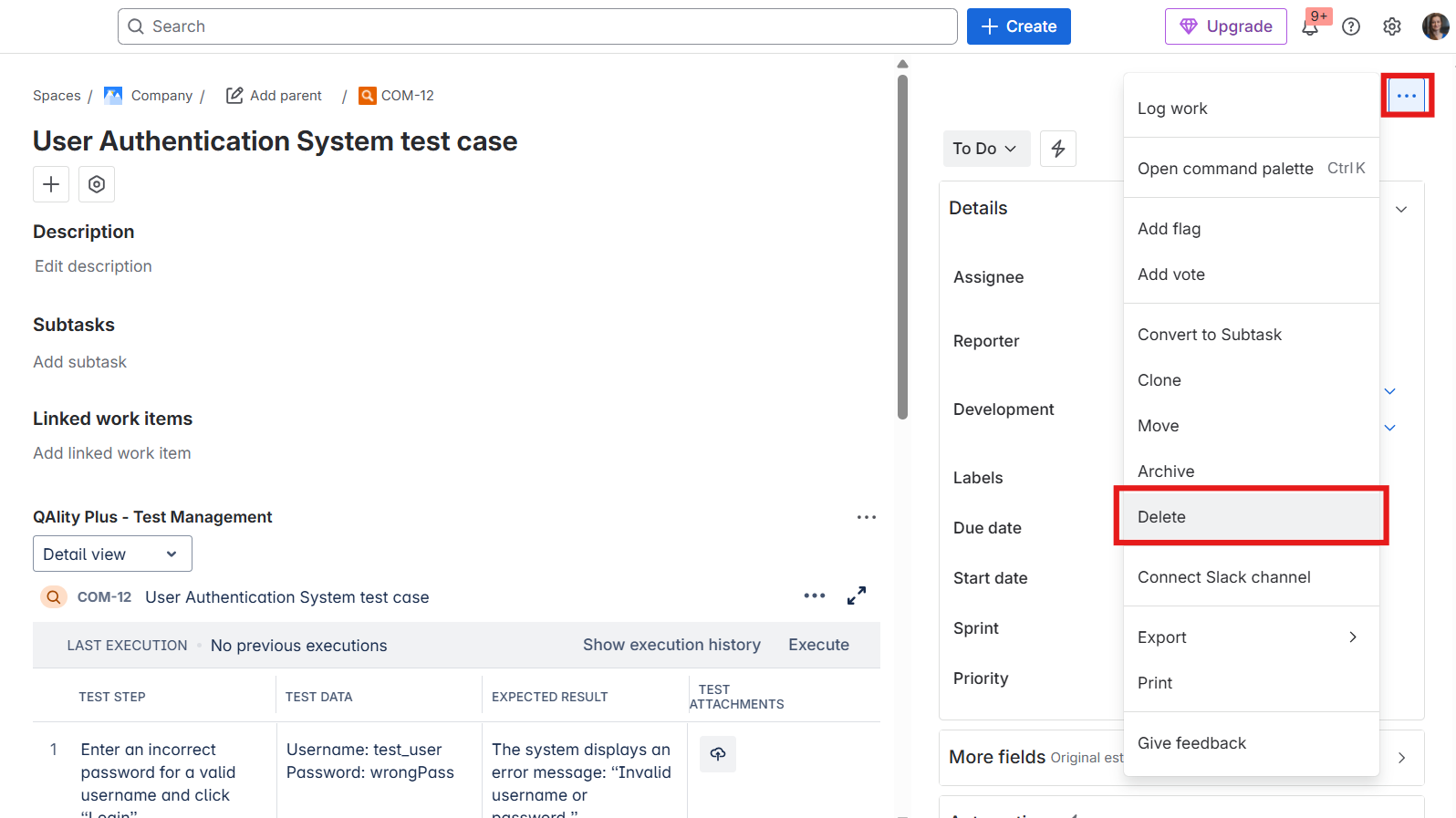
To delete a test case you will need permission to delete issues. To do that, click the three-dot menu in the QAlity Test issue and then click Delete.
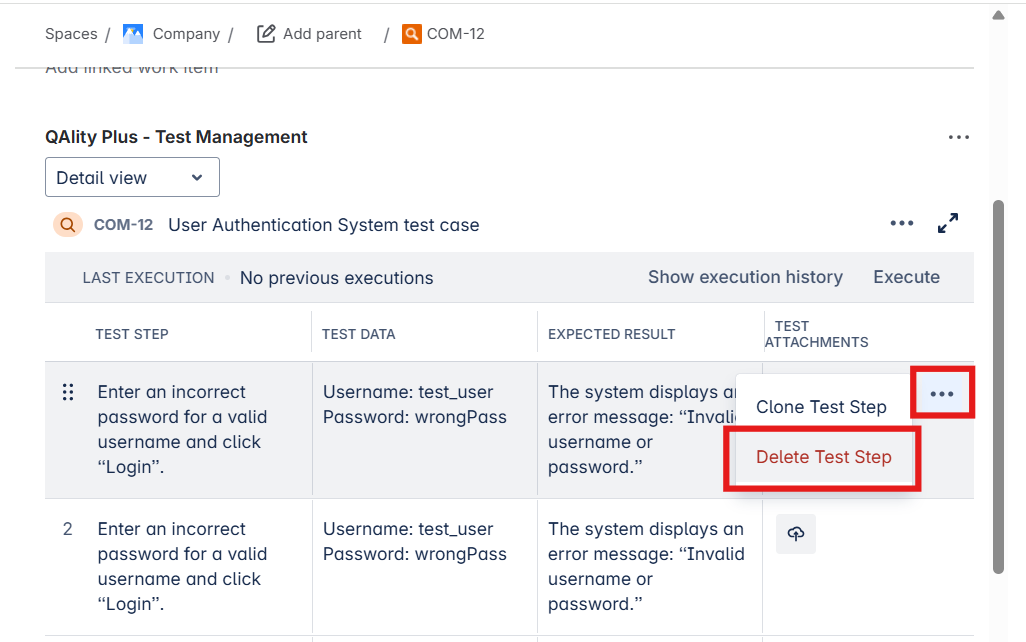
To delete a test step click on the menu icon at the end of the test step, then click Delete Test Step. This will remove all test step data.
Do you have any questions or feedback? Feel free to contact us here 💡