.png)
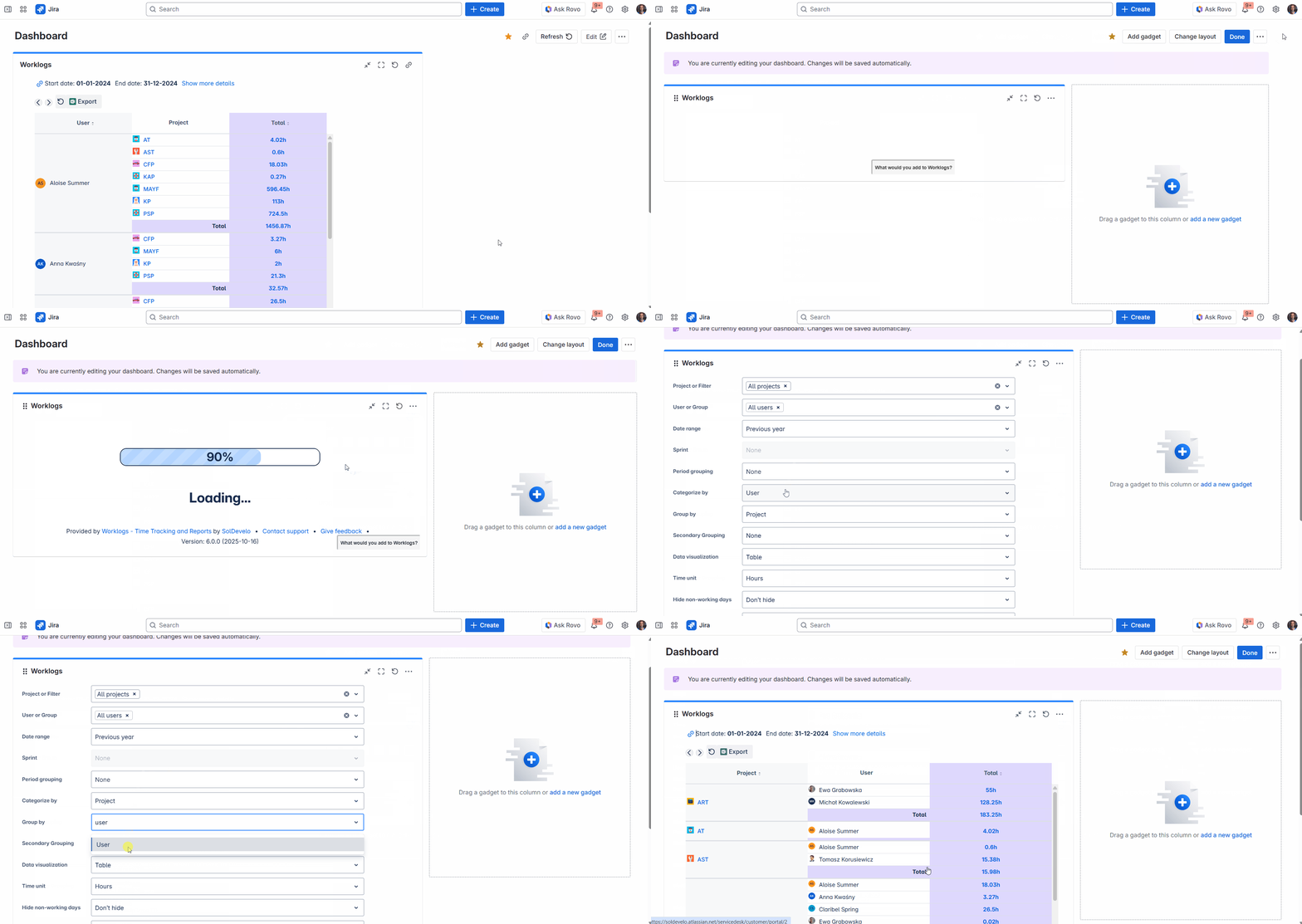
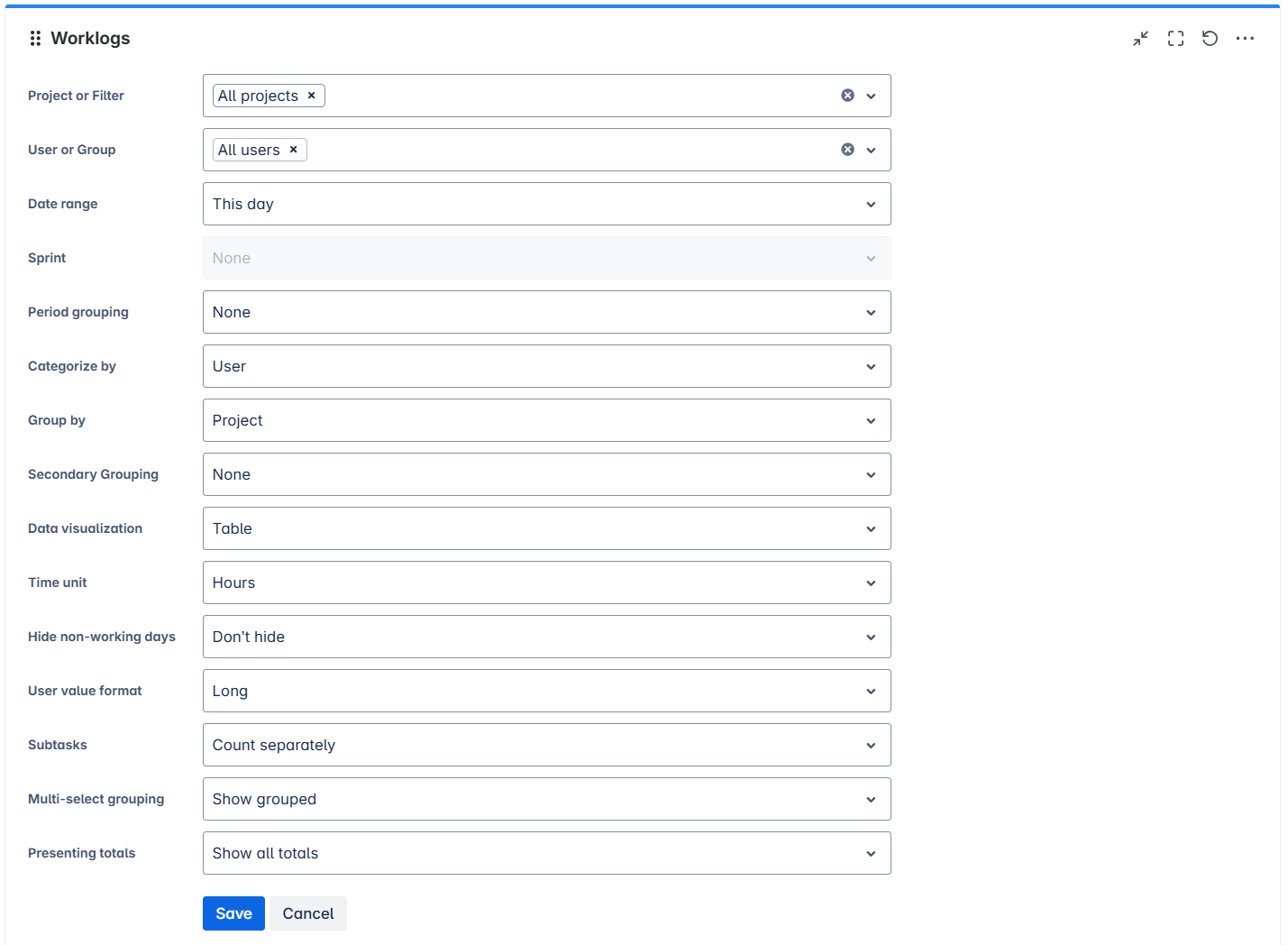
To configure the Worklogs gadget click on click Edit on the right side of your dashboard. Then go to the gadget's menu and select Configure. This will open an edition view with options to choose from. Set the desired configuration for optimal gadget usage and click Save.