
There are two ways you can install the app as Jira Admin:
Through the Marketplace page
-
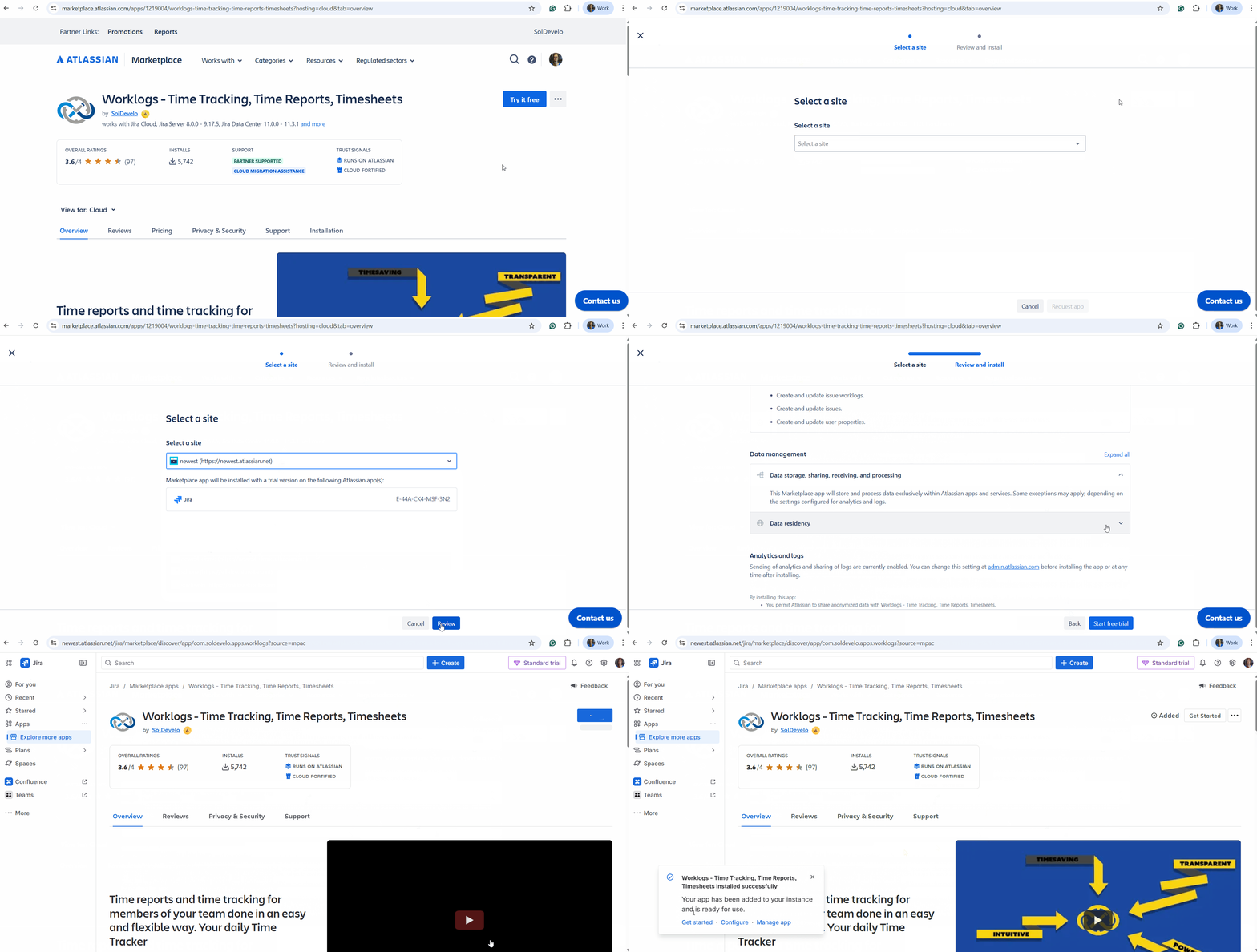
Go to the Worklogs Marketplace page.
-
Click the Try it free button located in the top right corner of the page.
-
From the menu, select the Jira instance where you want to install the app and then click Review.
-
Take a moment to check the installation details, then select Start free trial.
-
You’ll see a notification pop up in the bottom left corner of your screen to let you know when the app is ready for you to use.
Though admin.atlassian.com
-
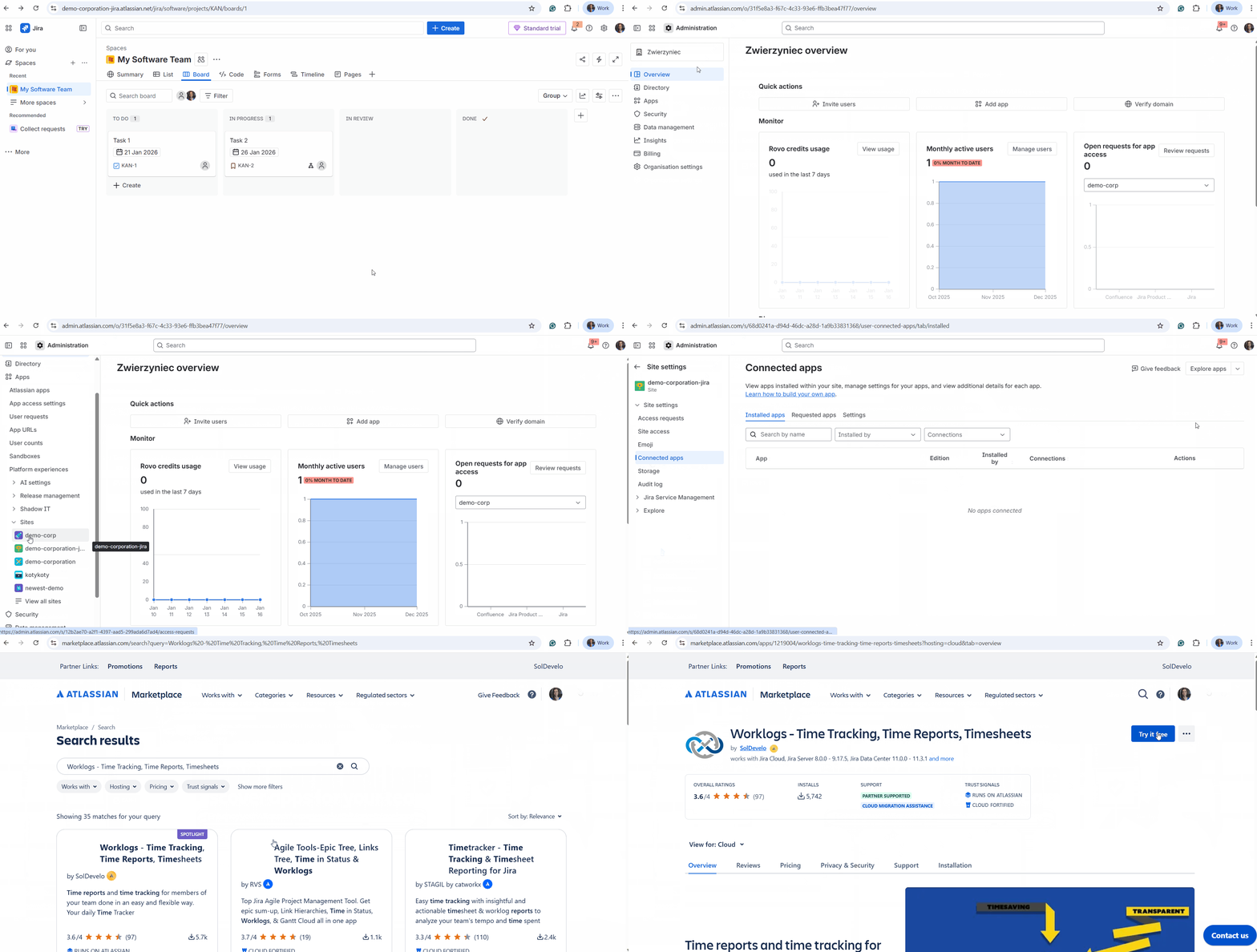
Go to admin.atlassian.com.
-
Navigate to Apps in the top menu, select Sites, and then click on the specific instance where you’d like to add the app.
-
Select Connected apps from the sidebar, then click the Explore apps button in the top right corner.
-
In the search bar, paste Worklogs - Time Tracking, Time Reports, Timesheets, and select our app from the results.
-
Once you're on the app page, you can follow the same "Try it free" steps mentioned in the guide above to finish the setup.
Do you have any questions or feedback? Feel free to contact us here 💡