.png)
Jira administrators can configure available checklist item statuses or disable them altogether. This can be done via Jira Settings → Apps → Checklists → Checklist item statuses.
To disable checklist statuses, toggle the switch ‘Enable statuses’ at the top of the page. The ‘Create status’ option allows the addition of new statuses. Existing statuses can also be modified as needed. Their name, connected color, and item state can be adjusted. They can also be deleted. If you delete a status it will be removed from all checklist items it was assigned to.
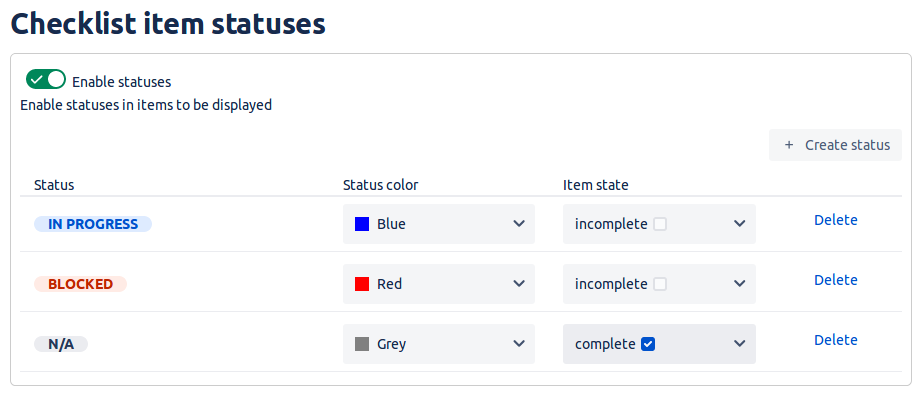
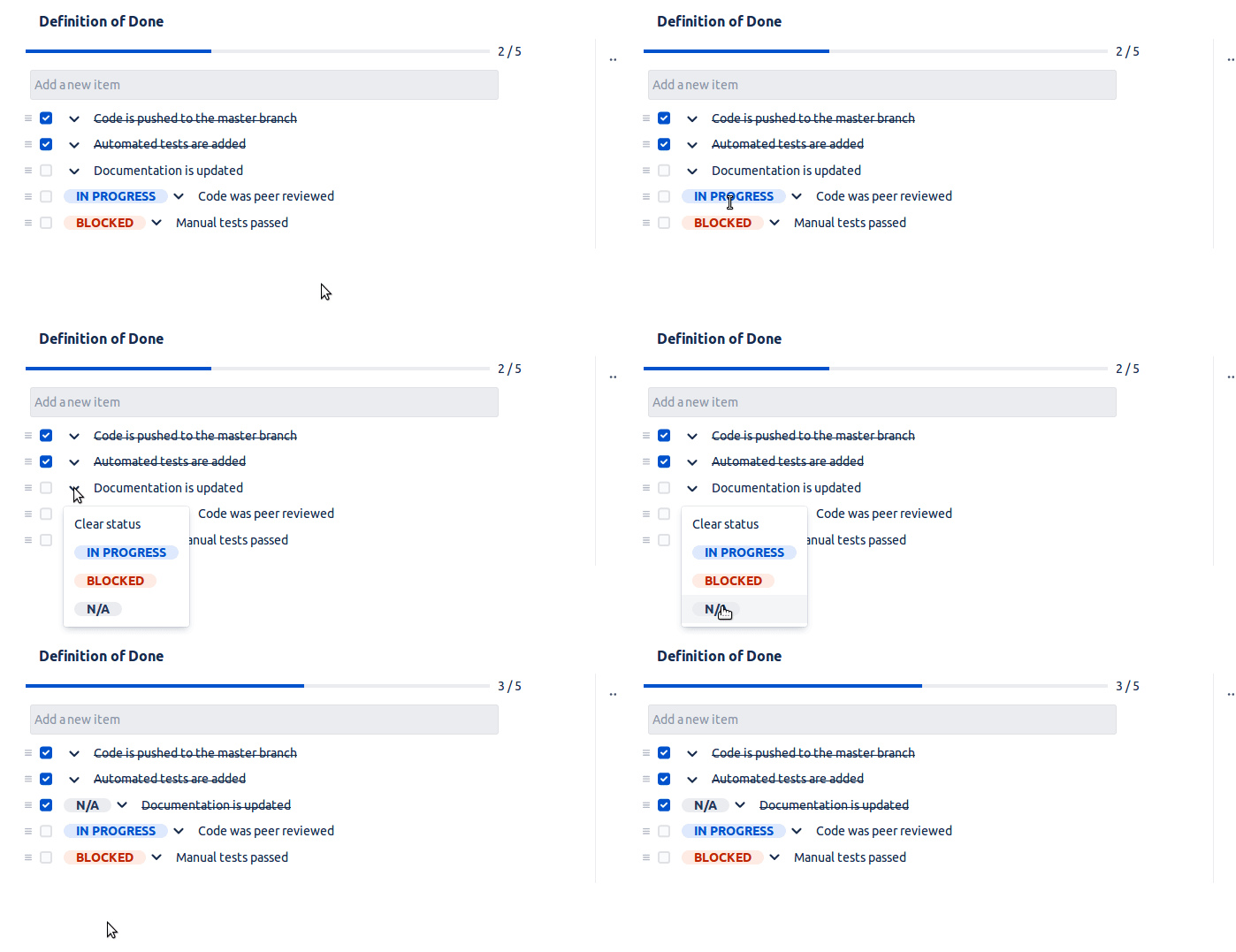
The item state option controls the behavior of the item checkbox upon selecting the chosen status. Selecting the given status will either check or uncheck the checkbox, depending on the setting.
Do you have any questions or feedback? Feel free to contact us here 💡