.png)
For a quick walkthrough of this feature, watch the video below 📽️.
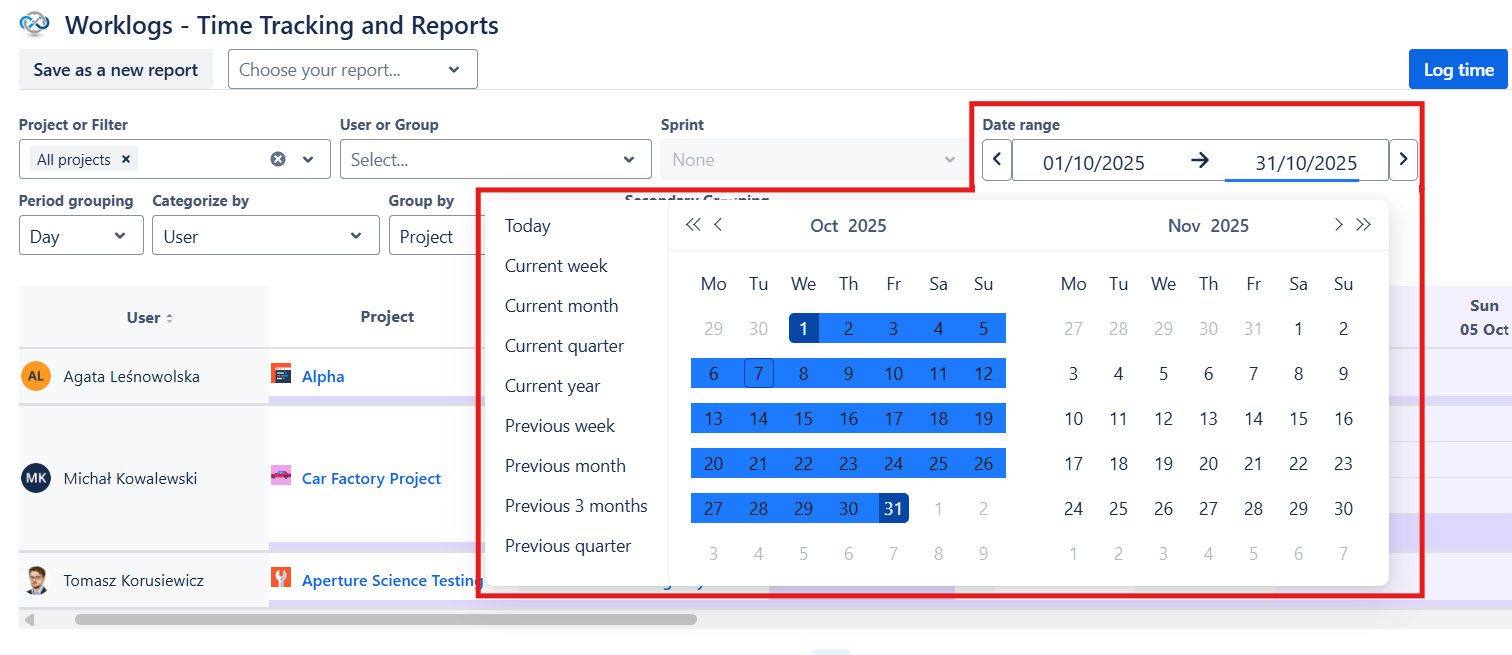
You can select a specific date range to display your work logs from a specific time period. You can also use one of the suggestions (today, current week, current month, current quarter, current year, previous week, previous month, previous 3 months, or previous quarter) by clicking on it.
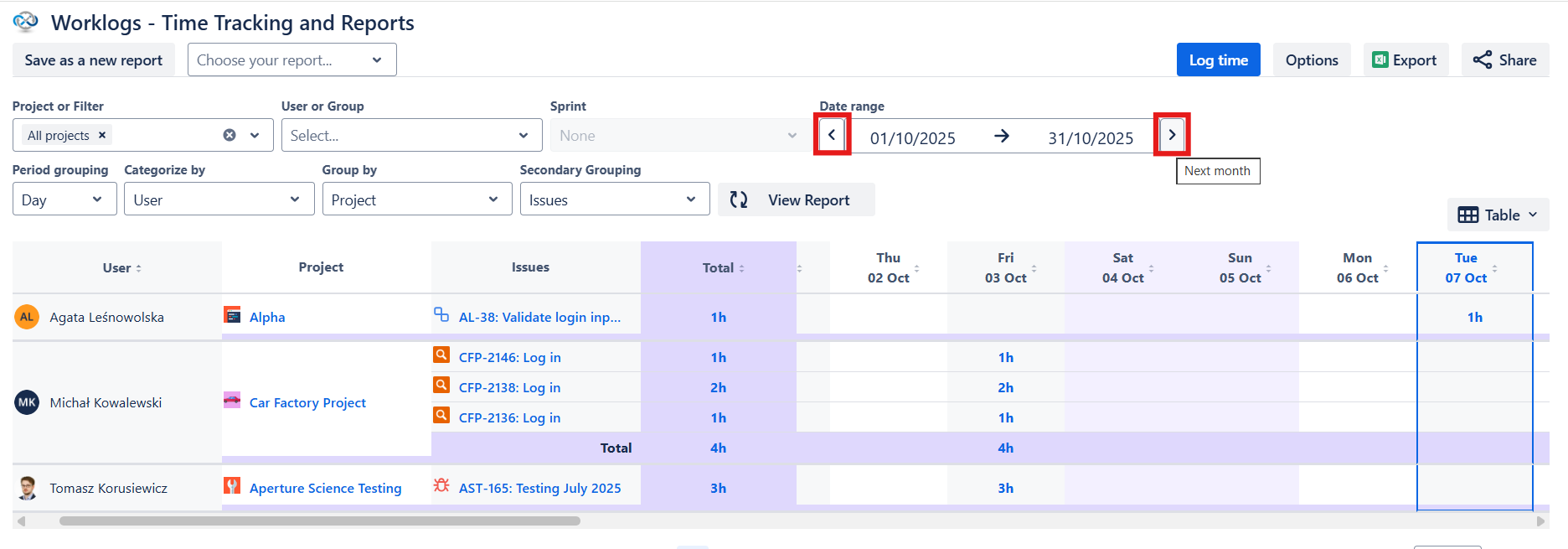
There are back and forward buttons you can use to jump between time periods. For example, if you set Worklogs to display weeks as time periods, the back button will allow you to switch to the previous week and the forward button will allow you to switch to the next week.