.png)
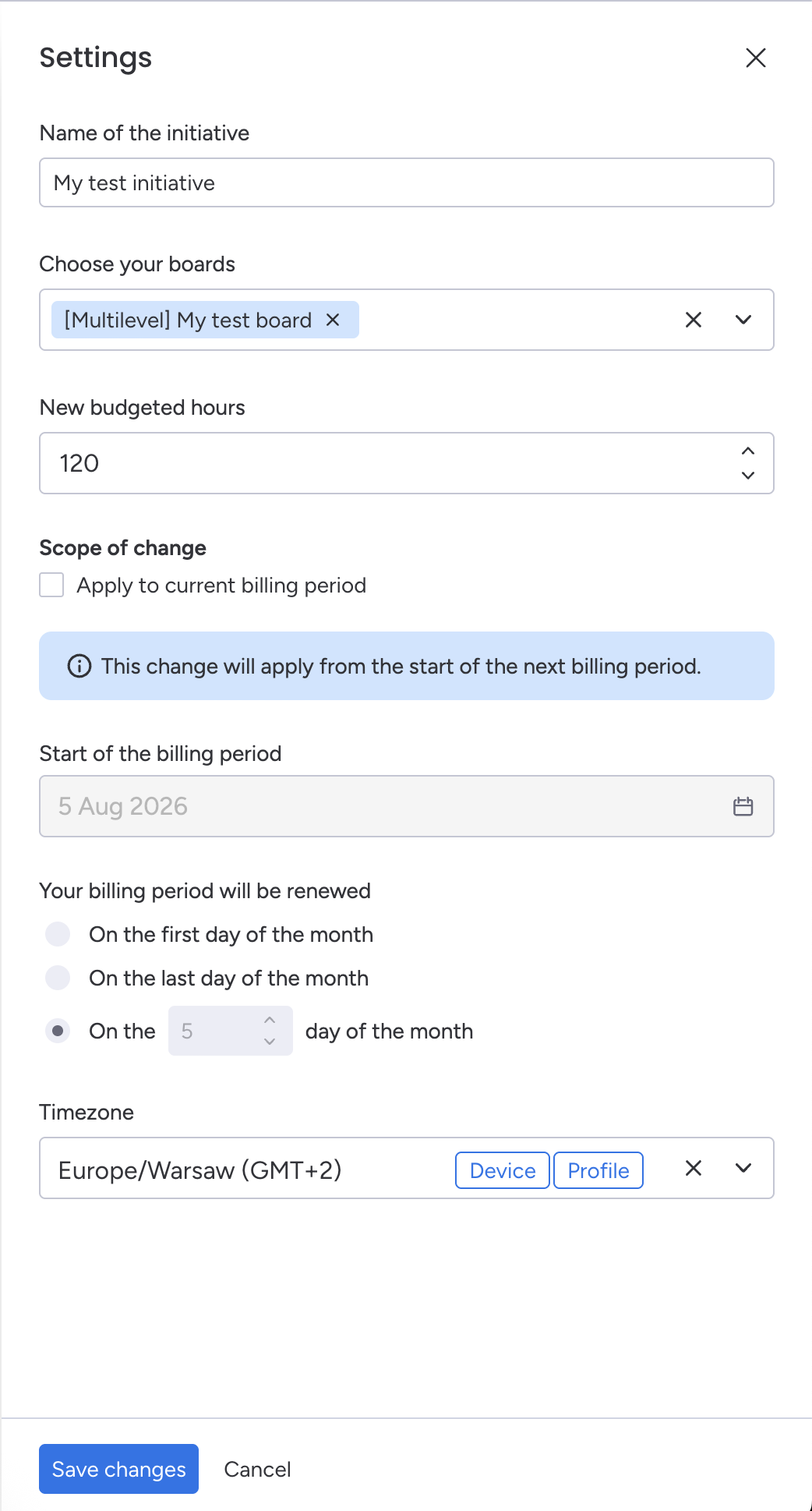
Initiative settings can be updated at any time by opening the Settings drawer from the initiative profile.
The following settings can be modified:
-
Initiative name
-
Associated monday.com boards
-
Budgeted hours (can apply from the current or next billing period)
-
Initiative timezone
Updating associated boards
An initiative can include both classic and multilevel monday.com boards.
When adding or removing boards, keep the following in mind:
-
Access to boards is governed by monday.com permissions. Users must have the appropriate workspace or board permissions to access and log time against items on newly added boards. For more information, see How monday.com permissions affect Worklogs for monday.com .
-
Removing a board from an initiative does not delete the time tracking column that Worklogs previously created on that board. If the column is no longer needed, it must be removed manually from the board.
Changing budgeted hours
By default, configuration changes take effect at the start of the next billing period.
If you want the updated budgeted hours to become effective immediately, enable Apply to current billing period before saving.
.jpg?cb=ba8a9c8ba0930b233483cf69ef1e913b)
Billing Period Information
The Start of the billing period field is informational only and cannot be edited from the initiative settings.
To change the billing period renewal day, use the dedicated billing period configuration available on the billing period tile on the Initiative profile. Any changes made there will be reflected in the initiative settings automatically.
.jpg?cb=9f093cae9680087574639ef30d2a426e)