
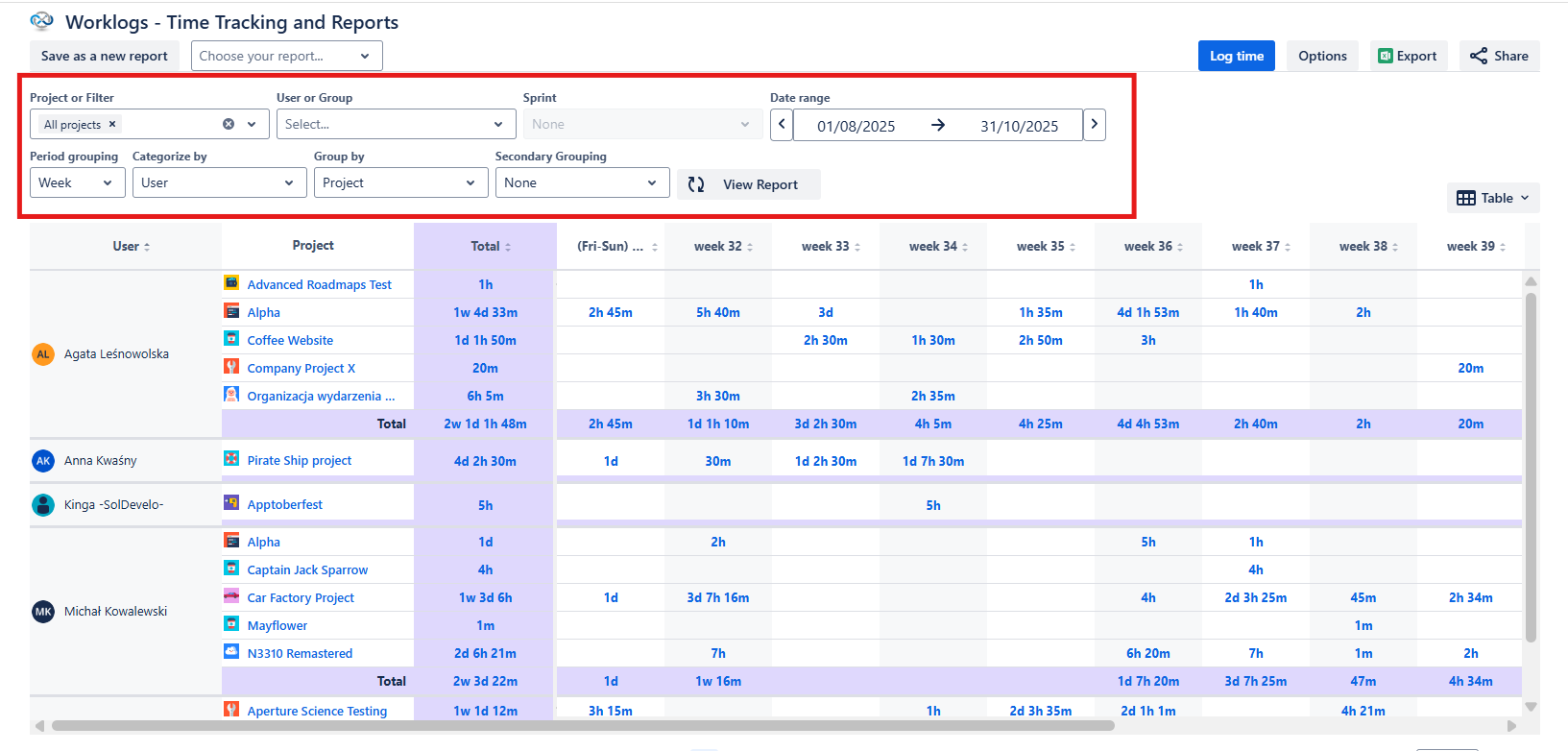
Head to Apps → Worklogs to view your time reports. Use date ranges, filtering, and grouping options to generate any report you need.
Aggregated worklogs
Cloud
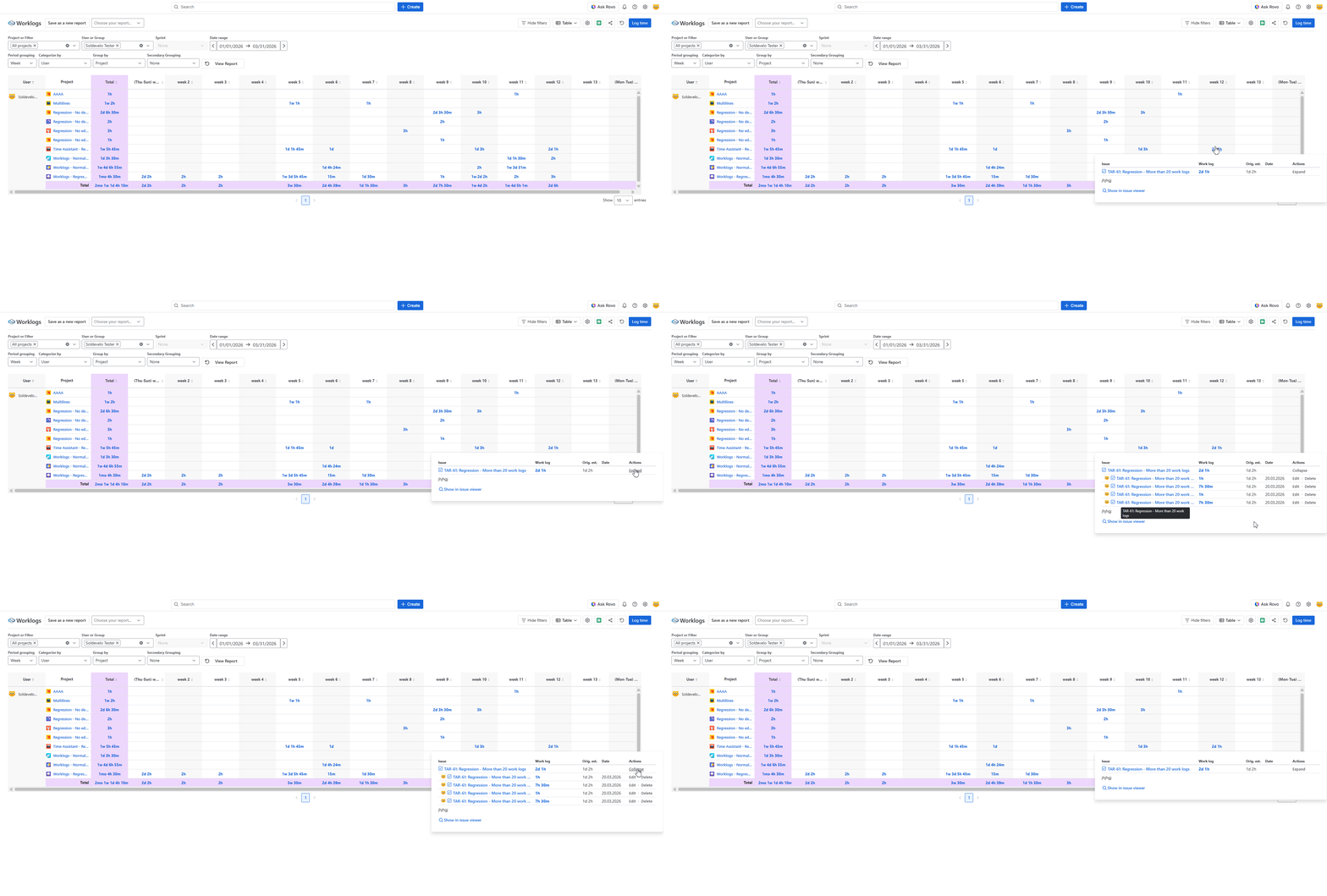
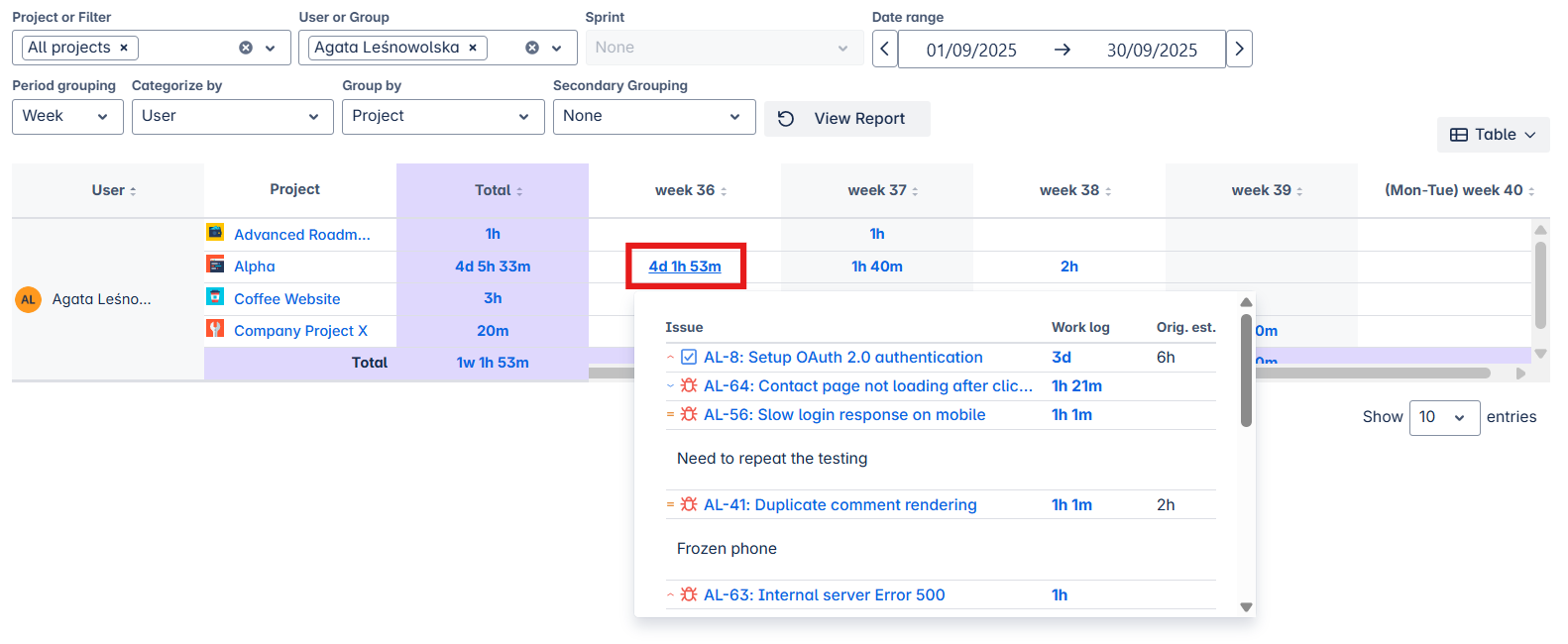
If multiple worklog entries are combined into a single cell (e.g., due to weekly/monthly grouping or multiple logs on the same day), use the Expand/Collapse action to view individual entries.
Each sub‑worklog is then shown as a separate row with its own Edit/Delete actions and clear information about which work item or sub‑task it belongs to.
DC
If multiple worklog entries are combined into a single cell (e.g., due to weekly/monthly grouping or multiple logs on the same day), use the Expand/Collapse action to view individual entries.
Each sub‑worklog is then shown as a separate row with its own Edit/Delete actions and clear information about which work item or sub‑task it belongs to.
Do you have any questions or feedback? Feel free to contact us here 💡